Small teams need affordable, easy-to-use tools to manage projects and clients, track time spent on tasks, and bill clients accurately.
Clockify and Toggl are popular options that tick those boxes. At their core, they are time tracking tools. With features like scheduling, project management, and invoicing that support the smooth running of your team and business.
While Clockify and Toggle are suitable for small teams, you want to ensure you pick the better solution. Especially one that fit your budget, workflow, and goals.
Below, I compare Clockify vs Toggle Track side-by-side. I analyze features, pricing plans, and user reviews so you can choose the option that lets your team work smarter, not harder.
Clockify vs Toggl Track: Comparison at a Glance
| Feature / Need | Clockify | Toggl Track | Best for Small Teams |
|---|---|---|---|
| Simple time tracking | ✅ | ✅ | Toggl |
| Team collaboration | ✅ | ⚠️ | Clockify |
| Reporting & analysis | ✅ | ✅ | Toggl |
| Integrations | 80+ apps | 100+ apps | Toggl |
| Budgeting & invoicing | ✅ | ⚠️ | Clockify |
| Pricing | Free & affordable | A bit higher | Clockify |
What Small Teams Need in a Time Tracking Tool?
Ease of adoption
Small teams need a time-tracking tool that offers a plug-and-play experience—easy to adopt with no complicated installation or time-consuming setup process.
This allows you to invest more time in the work that makes an impact rather than spend two weeks learning to use a time-tracking tool.
Accurate time capture (manual vs automatic)
It’s easy to choose a random time tracking tool online. The hardest part? Finding one that tracks time accurately. Most time-tracking apps offer both manual and automatic time tracking.
Manual time tracking requires you to start and stop the timer. Automatic time tracking, on the other hand, records your work hours without you having to lift a finger. Choosing a tool that offers both gives you flexibility.
Reporting and visibility for managers
If you’re running a small team, you probably wouldn’t want to just track time. You’d want to understand it, too. A good time tracking tool turns time entries into clear summaries. It also allows you to see what’s happening in real time using simple and easy-to-understand charts and dashboards.
You get to see who’s working on what, how much time was spent on a project, if other projects are lagging behind or on track, and so on. Without this feature, you and your team members resort to guesswork, which can lead to disorganization, confusion, or worse, missed deadlines.
Budget friendly pricing
Small teams lack the budget to invest heavily in tools, which is why they choose software with budget-friendly pricing. The good news? Most time-tracking tools cost $5-$10 per month on average. Some offer free plans with basic features and support unlimited users.
This means your team can enjoy unlimited time tracking, integrations, reporting, timesheets, and more, forever at no cost. You can upgrade to the paid plan as your team grows and you need access to advanced features.
Integrations with team tools
Chances are, your team uses other tools to improve workflow efficiency. The tracking software you choose should be able to integrate with them, enabling smooth collaboration while keeping everything in sync.
For instance, if your team uses QuickBooks, choosing a time-tracking tool that integrates with it lets you automatically turn tracked hours into invoices, eliminating manual data entry.
Also, choosing a time-tracking tool that integrates with project management tools like Asana, Jira, and Trello lets you see how much time is spent on each project without switching apps.
Clockify vs Toggl Track: Overview
What is Clockify
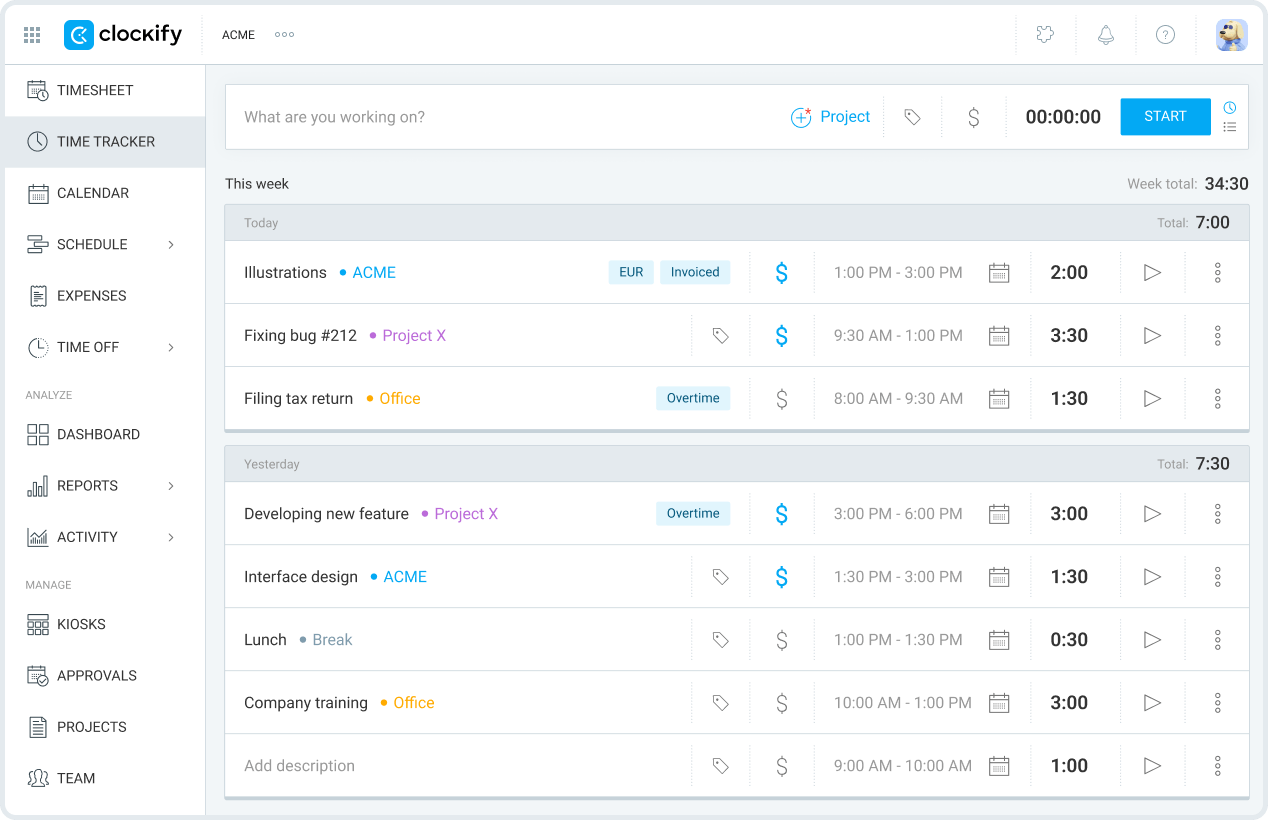
Clockify is a time-tracking and timesheet app that allows individuals and businesses to track the hours spent on tasks or projects.
Beyond time logging, it also functions as a scheduling, team management, project budgeting, expense management, and invoicing software. This makes it perfect for freelancers, agencies, consultants, and startups.
Do you manage a field team? Clockify also includes GPS tracking that lets you see team members’ locations on a map. This helps manage employees remotely and confirm their on-site status.
Key features
1. Time tracking
Clockify has a simple one-click timer that tracks work hours in real time. It allows you to assign time to specific projects or tasks, classify time as billable or non-billable, and categorize them by adding tags for easy reporting and better organization. Time entries are automatically recorded to a time sheet, which is submitted for your approval.
2. Reporting
Clockify offers real-time insights into time (billable or non-billable) spent on projects and tasks. This can be broken down by week, month, or any preferred custom period.
Data can be grouped by team, client, project, task, tag, and so on. Beyond the time report, you can also see reports on your team (what they are working on, attendance, and task progress) and expenses (the costs associated with a project over time)
3. Integrations
Clockify integrates with over 80 third-party apps (Jira, Asana, Salesforce, QuickBooks, etc.), allowing time tracking directly within each platform. This means, you can see tracked time, projects, and tasks in one place, even if your team works across different apps.
I love that most of Clockify’s integrations are free. This makes the free plan more cost-effective, eliminating the need to upgrade to access the integration feature.
4. Team dashboards
Clockify team dashboard gives you an overview of what your team is working on. It allows you to see who is working on what, total tracked time, and time breakdown for each team member.
Using the team dashboard, you can add new members by email, set their billable and labor rates, and assign roles (admin, project manager, or team manager)
What is Toggl Track
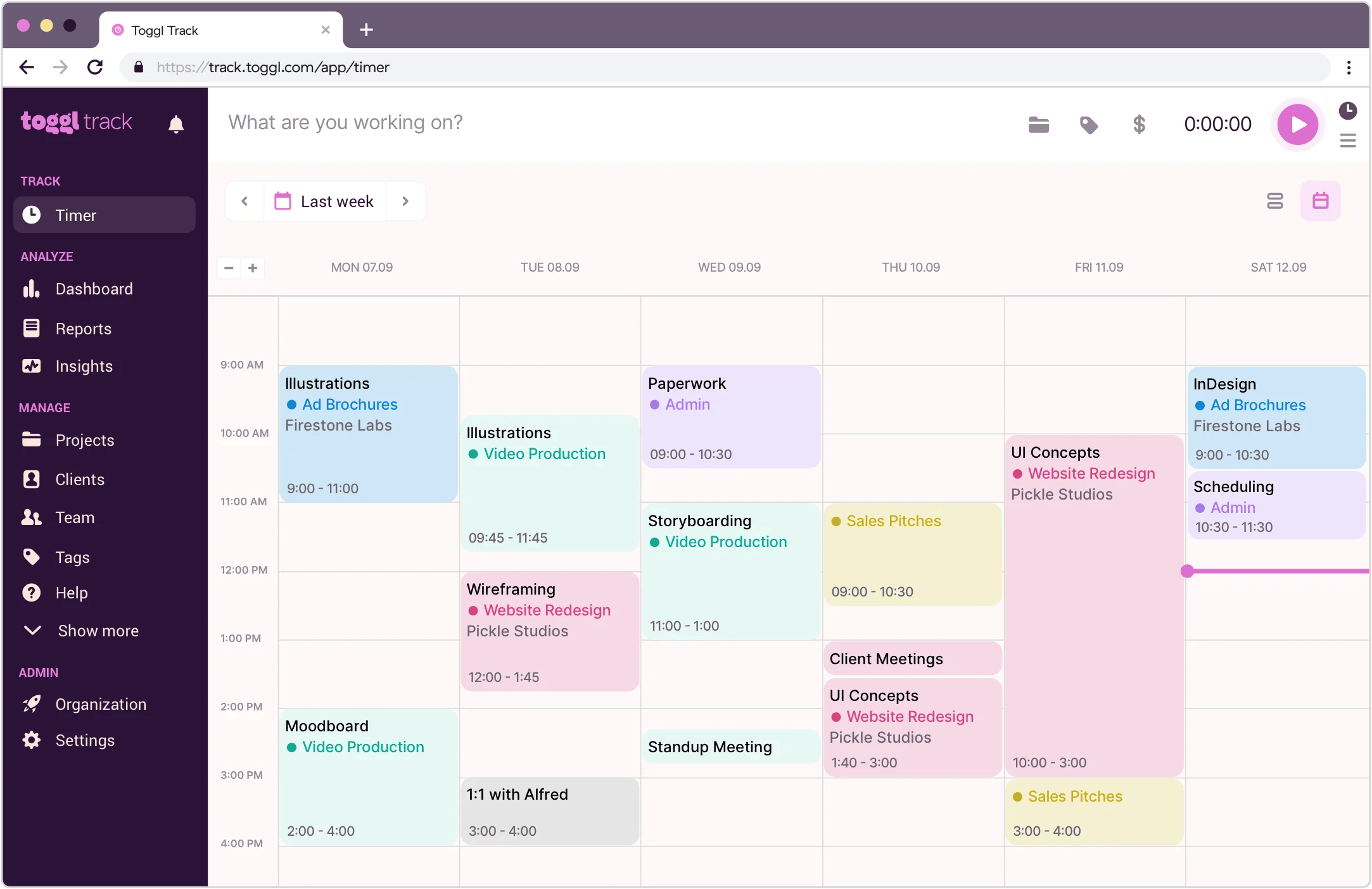
Toggl Track is a time-tracking tool that uses automated time-tracking to record the hours spent on tasks and projects. It’s ideal for small teams, including consultants, freelancers, and remote teams, looking for a simple time-tracking solution.
In addition to time tracking, Toggl Track offers a digital timesheet, project and team management, and reporting. Plus, it integrates with over 100 software applications, including accounting and invoicing, project management, calendars and scheduling, and more. Toggle Track is available on web, mobile, and desktop applications.
Key features
1. Time tracking
Toggl Track uses a simple one-click timer for real-time tracking. It also automatically tracks app or browser activity, which is sent for review and then converted into a timesheet.
Furthermore, Toggl Track supports manual time entry for individuals and businesses who need more control. I admire its idle time tracking, which flags time where there’s zero activity, preventing team members from over-reporting hours.
2. Project management
Toggl Track project management allows you to organize your team, tasks, and clients in one place. You can invite team members by email and assign a project to them.
Each project can be organized into tasks with assigned time to ensure quick delivery. I like the feature that lets team managers add new or existing team members to each project, enhancing collaboration.
3. Reporting
Toggl offers detailed reports that show how your team members spend time. You can see which project is taking up the most time, how many hours are billable, whether your team is fully stretched or underutilized, and so on. You can filter the report by project, task, tag, client, team member, or add a custom and advanced filter with AND/OR logic.
4. Integrations
Toggl Track integrates with over 100 tools, including Asana, Trello, Jira, Slack, Notion, and so on. You need to install the Toggl track browser extension so you can track time directly from the tools it integrates with.
Clockify vs Toggl Track: Feature Breakdown
Time Tracking Methods
Clockify
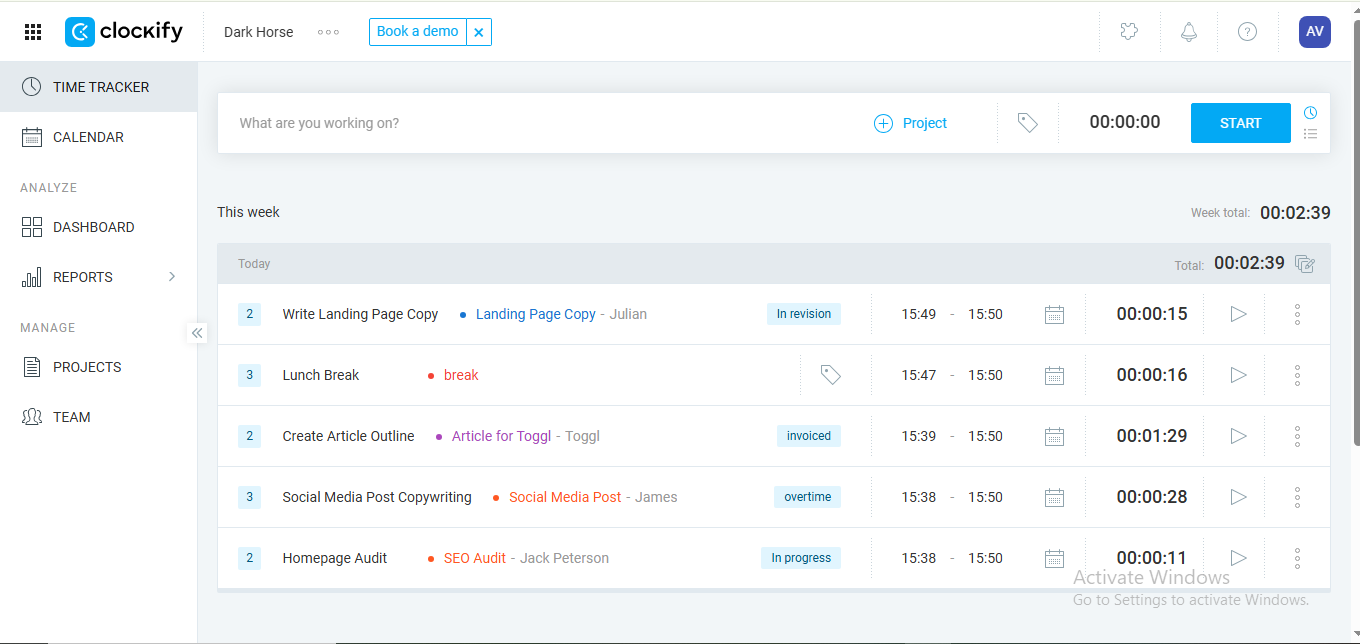
Clockify offers multiple time tracking options to suit different work styles. It has a one-click timer for easy time tracking, a manual option for teams that need more control, and automated time tracking for teams that prioritize accuracy.
I didn’t like that Clockify auto-tracking requires you to manually turn tracked activities into time sheets from scratch. This means more time spent on administrative work. However, I was very impressed by one notable time-tracking feature: the kiosk clock-in.
Instead of clocking in on personal phones and laptops, the kiosk clock-in feature allows team members to clock in on a shared device. It offers a simple way to track time, especially for small teams with a physical location.
Clockify’s surveillance feature is also one of my favorites. It takes screenshots of team members’ screens, so managers can see what they’re working on in real time. While there may be privacy concerns or fear of micromanaging, this feature helps prevent over-reporting and promotes accountability.
Toggl Track
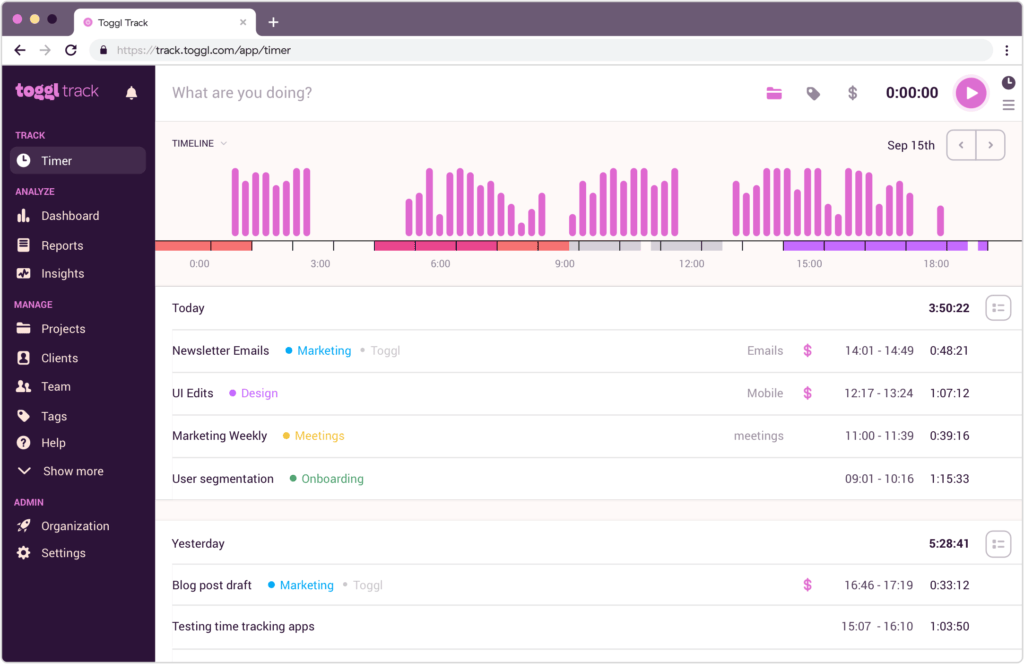
Toggl offers a one-click timer that allows you and your team to track time effortlessly. It also provides a manual tracking option for teams who prefer to log time after completing tasks.
I like that when I start Toggl’s timer, it displays previously tracked entries, allowing users to resume time tracking on existing projects or create new tasks. For employees, this ensures that everything stays organized and easy to access.
Toggl’s auto-tracking feature is a bit superior to Clockify’s, thanks to its customizable options that track time based on set keywords and triggers. For example, employees can set it to automatically track time when they open Figma, Canva, or specific websites.
Clockify auto-tracker, on the other hand, is quite rigid—it records everything you do in the background, then lets you choose what to keep.
While I admire Toggl’s stance against surveillance and micromanagement, the absence of screenshots may encourage time theft, which costs employers an estimated $11 billion per year in the US.
Ease of Use & User Experience
Clockify
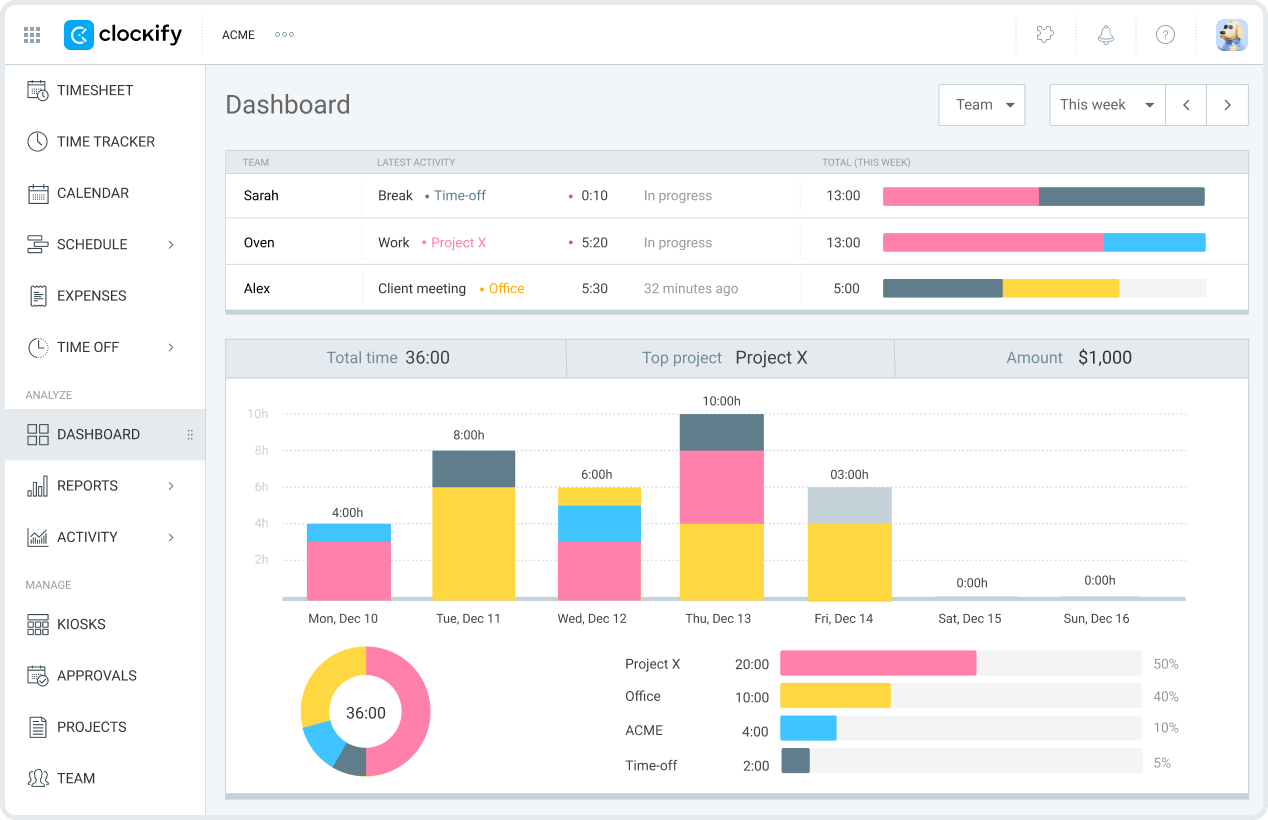
Clockify is accessible across web, desktop, and mobile—and offers browser extensions for Chrome, Firefox, and Edge. Its sign-up process is a breeze. I was able to create a free account without a credit card in under 3 minutes.
The best part? As soon as you sign in, you can create a project, divide it into tasks, assign it to team members, and start tracking time right away. Yes, you may get a little confused at first—which is normal. But once you get the hang of it, it’s smooth sailing from there.
I like the simplicity of Clockify team management. You can invite team members by email, assign roles, add them to a group in a few clicks, and set billable rates.
Clockify also has a clean dashboard with key elements (timer, project, report, team) logically placed. This reduces the time spent searching for buttons or certain information.
That said, Clockify is more of an all-in-one tool, with multiple native features to help fully live up to its name. The result? An interface that may feel cluttered and overwhelming for team managers.
Toggl Track
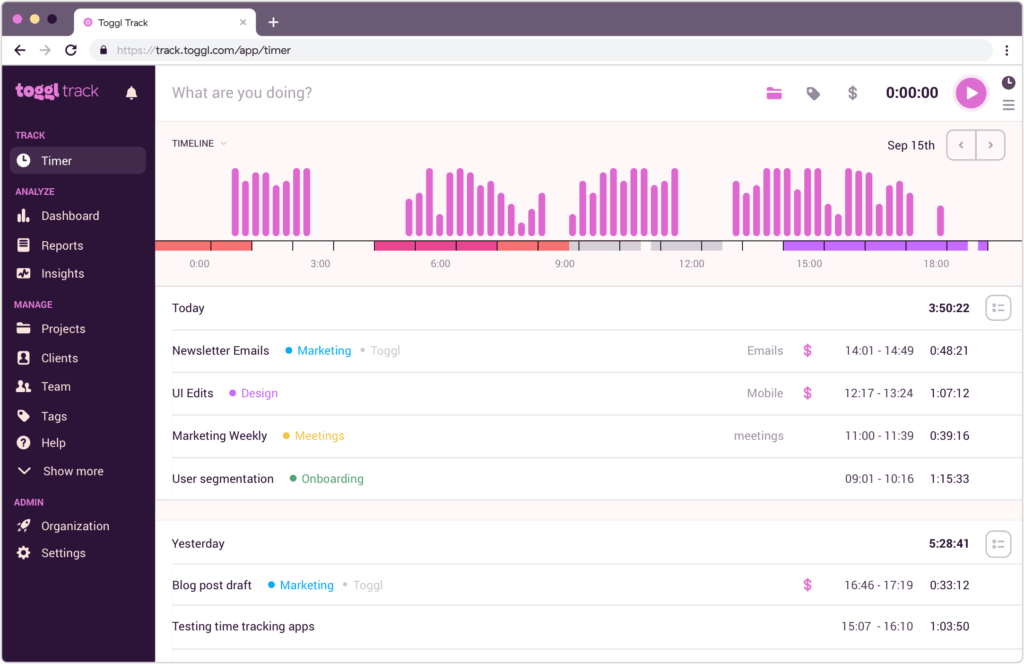
Compared to Clockify, Toggl’s interface feels like a breath of fresh air. I love that it’s organized, without menus or pop-ups screaming for your attention. This allows team managers and members to focus on what matters.
Like Clockify, signing up for Toggl is hassle-free. It lets you create a free account with your email or Google and start tracking / monitoring how time is spent right away—no credit card required!
I was very impressed with Toggl’s intuitive interface and tooltip (a little pop-up message that explains things on the screen) that acts as quick guidance. I thought they contribute to its low learning curve.
Toggl Track works smoothly across multiple devices, including web, desktop, and mobile. Like Clockify, it offers browser extensions for Chrome, Firefox, and Edge.
Reporting and Analytics
Clockify
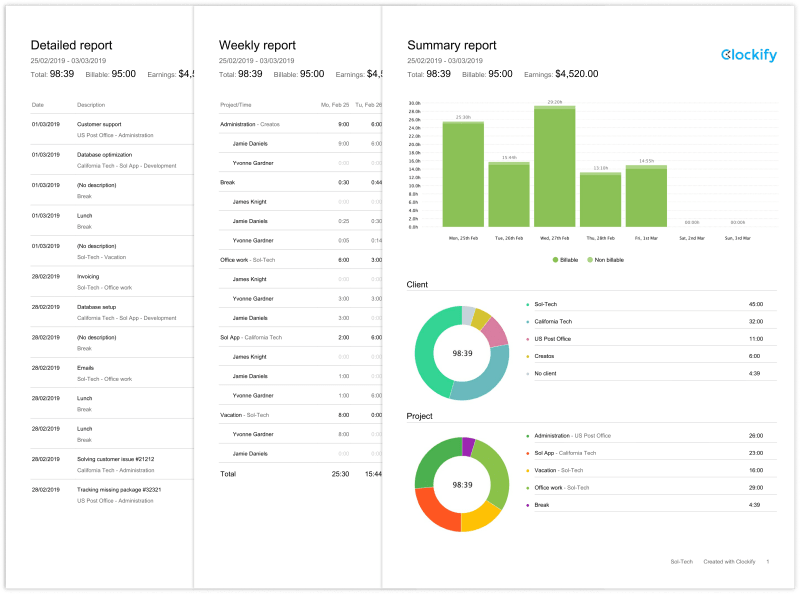
Clockify offers time, team, and expense reports. The time report shows how much time was tracked. As for the team report, it shows who worked on what, the hours each team member tracked, and their latest activity. While the expense report shows the costs associated with a project over time.
I especially liked the Clockify summary report, which provides an overview of all tracked time. It’s ideal for team managers who want a snapshot of how their team members spend their time without having to do much digging.
Clockify allows team managers to filter report data by team member, category, project, or client, tags, date range, billable vs non-billable, etc. This enables them to make informed plans and data-driven decisions.
While structured, the Clockify reporting dashboard felt cluttered with multiple filters and options. Additionally, it lacks flexible custom reports that let managers personalize the data they see to their needs.
Toggl Track
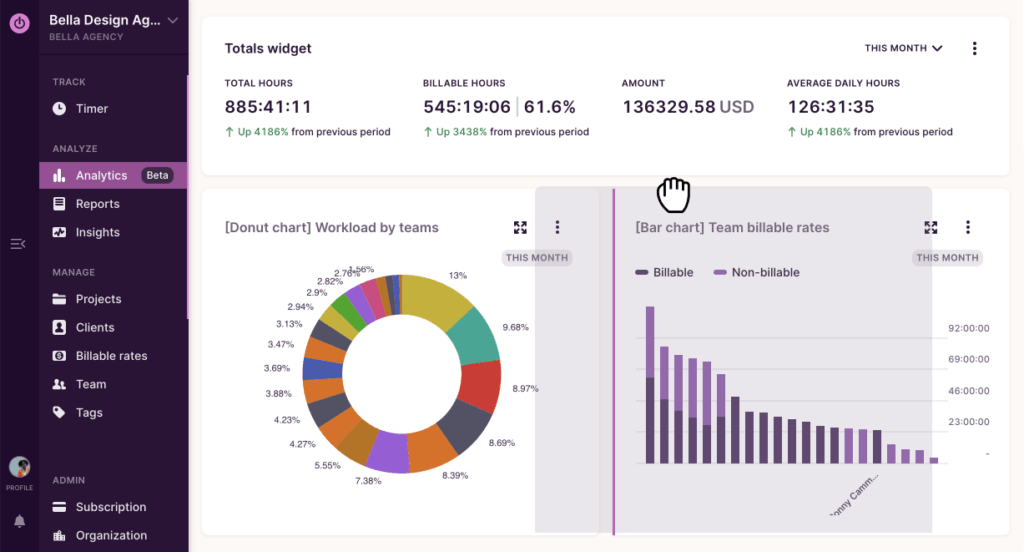
Toggl boasts a clean and intuitive reporting dashboard. Like Clockify, it offers a summary report that provides an overview of where your team’s time is going.
It shows who worked, how long they worked, and what they worked on. If you want a more comprehensive breakdown, check out the detailed summary and slice the data by member, client, project, task, tag, and description.
One particular feature I thought stood out in the Toggl report is the profitability tracking. It shows which clients, projects, or teams bring in the most profit. This helps identify unprofitable clients, members, and projects, allowing you to focus more time and resources on those that increase your bottom line.
Unfortunately, this feature is behind a paywall. However, you can give it a try with the 30-day free trial—no credit card required.
I also like that Toggl allows you to build a custom report. That means you can choose how you visualize your data, whether via tables, bar charts, donut charts, line graphs, and so on.
Want to build your own dashboard? No problem. Toggl allows team managers to create dashboards by adding preferred charts, rearranging, editing, or even deleting them. Similar to profitability tracking, this feature is also restricted to the paid plan.
Team Collaboration Features
Clockify
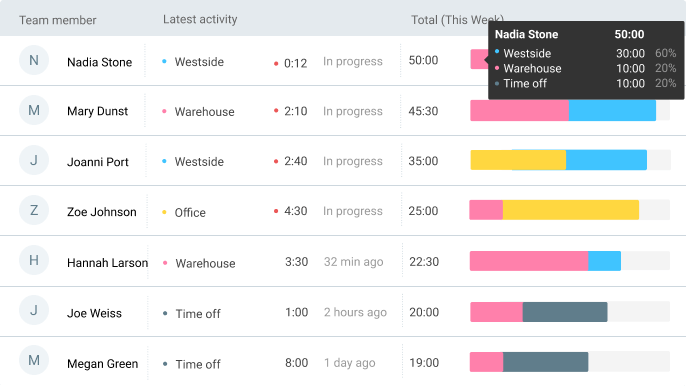
Clockify makes managing your team effortless. On the free plan, you can add unlimited team members (up to 5 at once) by email, allowing them to track time in your workspace.
Once added, you can set billable and labor cost rates, assign roles, or segment members into groups to make team management easier. You can also edit user (team members) profiles, add extra information, deactivate old users (while keeping their data), or delete them entirely.
Clockify has a functional team dashboard. It’s easy to use and allows you to see key information at a glance, enabling quick decisions and reducing errors.
I like that Clockify lets managers send email reminders to team members who are tracking too much or too little time. This prevents inaccurate project reports—for members who track too much time—and wrong billable reporting—for those who track little.
You can customize and export your team data in CSV or Excel.
Toggl Track
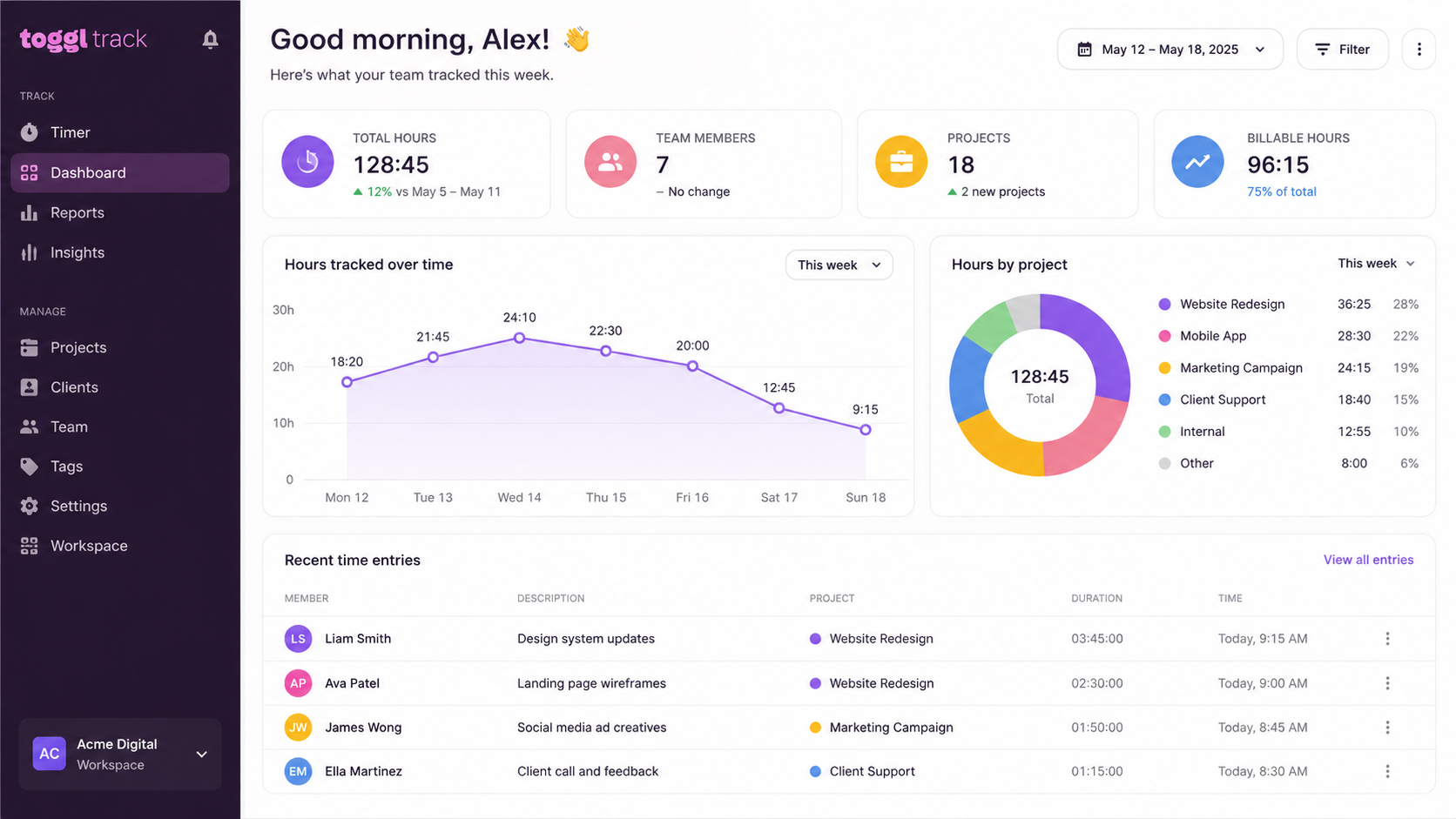
Like Clockify, Toggl allows you add team members by email. You can batch paste or add one or multiple email addresses at once (Clockify allows 5 at once).
After adding team members, you can set billable rates, assign roles, teams, and tags. Additionally, you can edit user data, deactivate old users (which is reversible), or delete them entirely (which is irreversible) from the member’s page.
I thought Toggl’s team dashboard was basic compared to Clockify. For instance, it doesn’t have dedicated group tabs, making it difficult for managers to see which groups exist on the team page. It also lacks a built-in timesheet reminders tab, a feature Clockify offers.
That said, I found it frustrating that key information wasn’t visible at a glance, and I had to use the horizontal scroll bar to access the rest of the cut-off data.
One major drawback about Toggl is that its free plan only allows 5 users: you and 4 team members. In comparison, Clockify allows unlimited users in its free plan, making it a great choice for cost-conscious small teams.
Integrations
Clockify
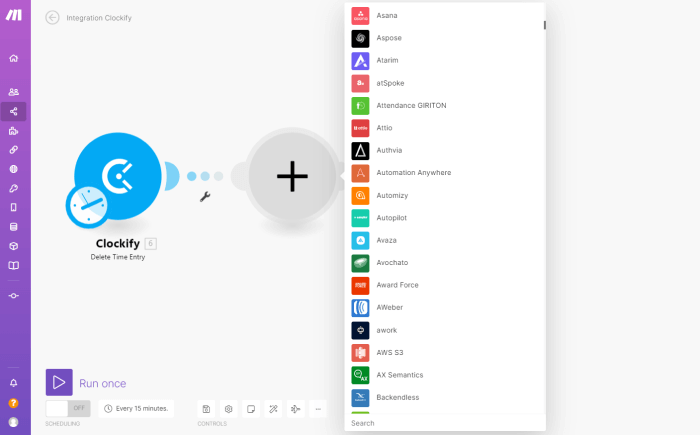
Clockify integrates with over 80 apps, including productivity and project management tools such as Asana, Jira, Trello, Outlook, ClickUp, QuickBooks (restricted to paid plans), and Google Calendar.
The majority of Clockify integrations are for time tracking ( they allow you to track time directly inside other apps and websites). And they use a browser extension, available for Chrome, Firefox, and Edge.
I like that most of Clockify’s integrations are available in the free plan. So, small team managers can connect the platform to existing tools without paying for a plan. The result? Fewer app switches and more accurate time tracking, without extra cost.
While Clockify integration is impressive, syncing issues can occasionally arise. This was mentioned in customer reviews on reputable review platforms such as G2 and Capterra.
Toggl Track
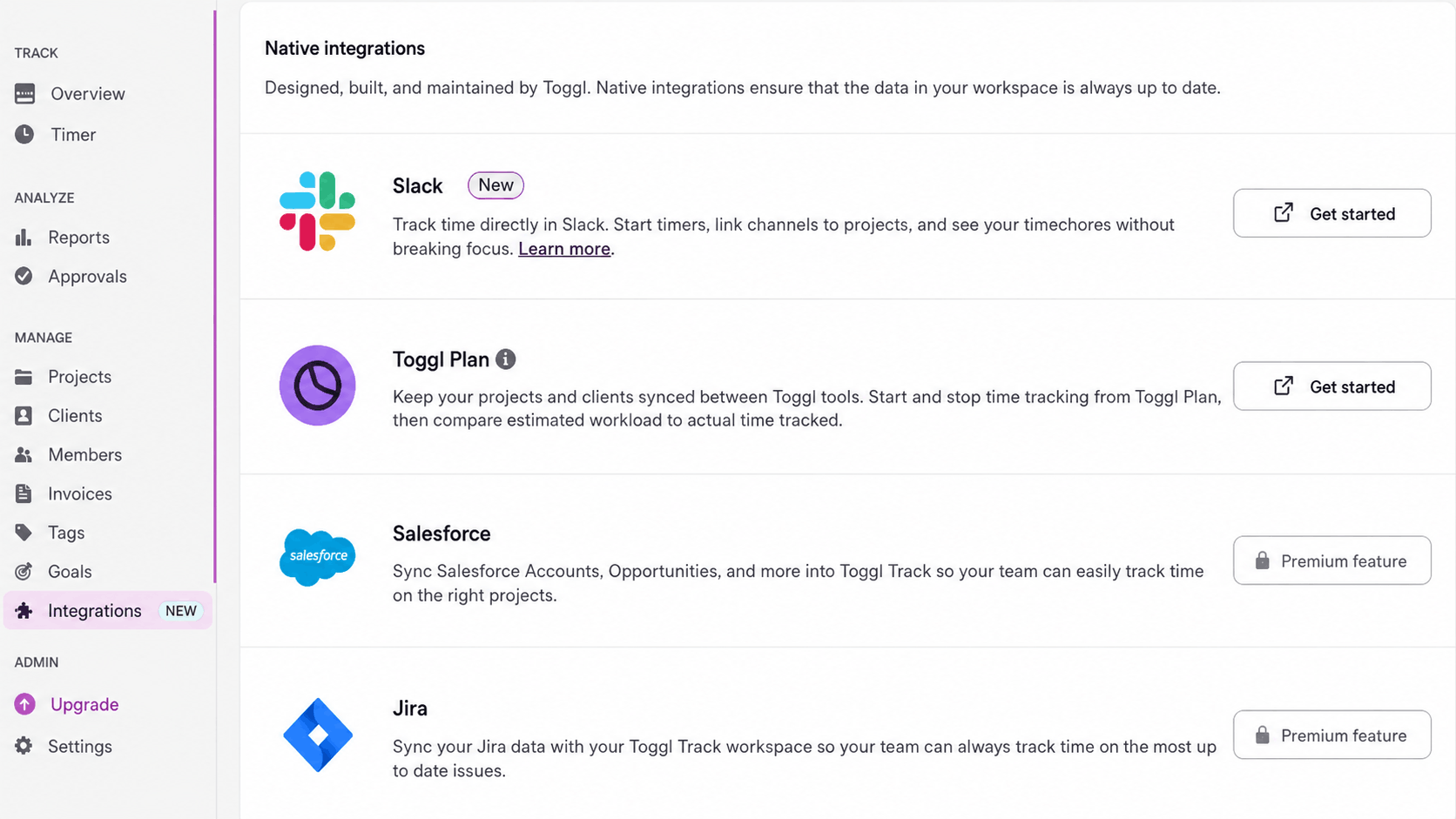
Toggl provides integration with more than 100 apps, including Asana, ClickUp, Zoho Books, and Salesforce. This allows you and your team to share data across platforms and track time anywhere on the web with a single click.
Like Clockify, you need Toggl’s browser extension add-on to track time from inside integrated tools. The extension is available for Chrome, Edge, and Firefox browsers.
Furthermore, most of Toggl’s integrations are available in the free plan. To access the native, more in-depth integration (which lets you connect apps to share data), you’ll have to upgrade to the premium plan.
Toggl offers more integrations (over 100) than Clockify (over 80). This makes it ideal for small teams looking for more advanced, built-in integrations with key tools.
Clockify vs Toggl Track Pricing and Plans Comparison
| Pricing Factor | Clockify | Toggl |
|---|---|---|
| Free Plan | $0 | $0 |
| Free Plan User Limit | Unlimited users | Up to 5 users |
| Best Free Plan for Small Teams? | Yes (no limit) | Only if ≤5 users |
| Entry Paid Plan | $3.99/user/month (Basic) | $9/user/month (Starter) |
| Mid-tier Plan | $5.49/user/month (Standard) | $18/user/month (Premium) |
| Highest Standard Plan | $7.99/user/month (Pro) | Custom pricing (Enterprise) |
| Price Entry Gap | Much cheaper entry point | ~2× higher starting cost |
| Affordability for 3–5 Users | Very affordable | Still manageable |
| Affordability for 6–10 Users | Remains low-cost | Costs rise quickly after 5 users |
| Pricing Flexibility | More tiers, gradual pricing | Fewer tiers, bigger jumps |
The Bottom Line on Pricing: Which is more Affordable for Small Teams?
Clockify’s free plan offers unlimited users, whereas Toggl’s free plan allows up to 5 users. This makes it ideal for small teams looking to scale.
Additionally, its paid plans are significantly cheaper than Toggl, with its starter plan costing $3.99 per user/month, which is 2x less than its competitor ($9 per user/month).
Marcin M., a founder, experiences reflect this:
“I've been working with Toggl for almost 2 years, but as I transformed from a freelancer to a small business with 3 employees, I needed to use more team's features. Toggl's paid plan, for such a small team, is too expensive.”
Marcin M
Overall, Clockify is the better option for cost-conscious teams looking to scale. While Toggl is ideal for very small teams that are comfortable paying more for simplicity and built-in automation.
Clockify vs. Toggl: What Are People Saying About Them?
Toggl has a 4.7 rating out of around 3,000 reviews on Capterra. Clockify, in comparison, has a 4.8 rating out of nearly 10,000 reviews. Here are a few things users are saying about each tool:
Clockify Reviews
Overall, my experience with Clockify was positive. It’s a user-friendly time-tracking tool that offers great functionality, especially for individuals and small teams. Setting up projects and tracking hours was straightforward, and the option to categorize tasks and clients added helpful structure. I appreciated how easy it was to start tracking time with just a click, making it effective for day-to-day use.
Cath M. ⭐⭐⭐⭐⭐
Clockify has been a great addition to our project management. It's especially amazing as a tool for small teams who work remotely. I love how easy it was for our team to integrate it into our working process and how detailed each entry can be. We get time and date information but also project categories and a toggle for if work is billable or not.
Jakob F. Product Designer ⭐⭐⭐⭐⭐
Toggl Reviews
Makes time tracking a snap - even though not yet having used the full range of features myself I'd totally recommend to anyone, especially small teams and freelancers.
Beate M. Project Manager ⭐⭐⭐⭐⭐
Toggl works well in small teams of trusted people who you have direct communication with and oversight over. In my opinion this is where it shines. Consultants and creative firms will LOVE toggl, and thrive with it in their organization---this seems to be the original use case Toggl was building towards
Ivan R. Apparel & Fashion. ⭐⭐⭐⭐⭐
Clockify vs Toggl Track: Which is best for your Small Team?
Clockify is a top time-tracking tool, just like Toggl Track. The irony? They’re similar, making it difficult to choose the best option for your small team. But, based on firsthand experience with both tools, here’s what I’d suggest:
Choose Clockify if:
- You want a time tracker with a free plan that supports unlimited users.
- You are budget-conscious and want a time tracker with an affordable paid plan in case you decide to scale.
- You manage field teams and want to verify team locations, ensure accurate time tracking, and optimize on-site work.
- You need a free all-in-one time tracking tool with integrated team management features.
- You’re looking for a time tracker with simple, straightforward, and budget-friendly reporting.
Choose Toggl Track if:
- You want a time tracker with a low learning curve.
- You like the idea of building custom reports directly in the app.
- You need a time tracker with an intuitive interface that requires minimal setup.
- You dislike employee monitoring but value privacy and a trust-based work culture.
- You prefer a tool that automatically starts tracking time for you and your team based on predefined triggers, such as apps or keywords.