It happens.
You hit send on an email only to realize you ended with “best fishes” instead of “best wishes.” Or maybe you submit an essay and notice an embarrassing typo seconds later.
We’ve all been left red-faced by our grammar mistakes at one point. And oftentimes, we turn to free grammar checkers to bail us out.
Most free grammar tools can catch basic grammar, spelling, and punctuation mistakes you miss. Unfortunately, only a handful do it well.
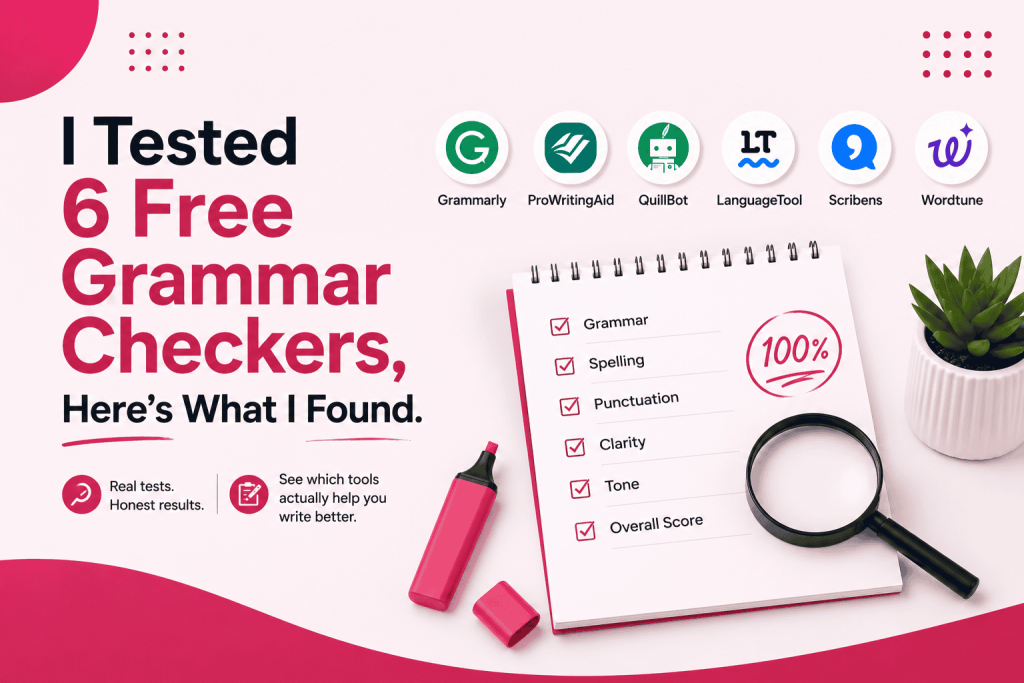
The good news is I’ve spent days testing and reviewing the 6 best free grammar checkers so you don’t have to. I used the same writing sample and evaluation criteria for each tool to eliminate bias and build credibility.
This is how they fared.
In a hurry? Here’s a TL; DR
- Grammarly is the best option for everyday writing.
- QuillBot is well-suited for students with basic proofreading needs and AI assistance.
- ProWritingAid is ideal for writers who want in-depth editing and analysis.
- Scribens is the best choice for multilingual writers and non-native English speakers
- QuillBot and Grammarly are the best choices if you’re looking for an omnipresent writing assistant.
- Wordtune offers advanced built-in writing tools and AI-powered features, making it well-suited for power users.
How I Tested These Free Grammar Checkers
To eliminate bias and guarantee a fair comparison, I tested each free grammar tools using the same writing sample (a 475-word essay) and evaluation criteria.
I only used each tool’s free plan rather than its paid subscription. This helps create a level playing field and gives you an accurate, trustworthy recommendation—one you can take to the bank!
I didn’t stop there. I also made sure each grammar checker was tested on the same browser and device to prevent my “testing setup” from interfering with the results.
Here are the factors I evaluated:
- Free plan limitations: How far can you get without upgrading?
- AI writing assistance: How robust and helpful were its AI features?
- Speed: How quickly did it analyze the content and provide suggestions?
- Punctuation: Did it detect missing or inaccurate punctuation?
- Ease of use: Was it intuitive, easy to navigate, and user-friendly?
- Clarity suggestions: Are its suggestions clear, or vauge?
- Spelling: Did it flag typos and misspelled words accurately? Or did it overlook them?
- Grammar accuracy: Did it detect grammar mistakes without flagging correct sentences?
In short, I followed a meticulous testing process designed to give you the nitty-gritty details you need to choose the best free grammar checker that suits your needs.
The Best Free Grammar Tools At a Glance
| Tool | Best For | Free Plan AI Writing Features | Word Limit | Sign-up Required? | Overall Score |
|---|---|---|---|---|---|
| Grammarly | Anyone who needs light editing and doesn't prioritize plagiarism or AI-powered features. |
Ask AI |
100,000 characters per check (16,000 words) |
Yes | 8/10 |
| ProWritingAid | Individuals looking for a checker with detailed writing analysis and feedback. |
|
500 words per check | Yes | 7/10 |
| QuillBot | Students, professionals, and casual writers who want basic proofreading and rely on AI-powered writing features. |
|
Not available. | No | 8/10 |
| Wordtune | Everyday writers who need light editing and prioritize AI-powered writing features. |
|
10,000 characters per check | Yes | 7/10 |
| Scribens | Multilingual writers, non-native English speakers, language learners, and people looking for a simple grammar checker. |
Paraphrasing |
8,000 characters per day (1,100 to 1,300 words) |
No | 7/10 |
| LanguageTool | Anyone checking short-to-medium text, one piece at a time. |
Paraphrasing |
2,000 characters per check (300 words) |
No | 6/10 |
Note: The AI-powered writing features listed are only those available in the free plan. Plus, many (if not all) have caps.
What are the Best Free Grammar Checkers?
I spent hours testing several free grammar checkers using the same writing sample and criteria. Here are the top 6 that performed best.
1. Grammarly
When Grammarly launched in 2009, I was still a teenager, Barack Obama had just become president, and owning a BlackBerry was a status symbol. Its longevity is why it’s the face of the grammar-checking industry and the default choice for many writers, students, and professionals.
Grammarly offers a free-forever plan with basic features that might make you forget its paid plan exists, or upgrade if you need advanced editing. With over 40 million daily users and free browser integration across 500,000 platforms, you could say that Grammarly is the “Tesla” of grammar checkers.
What you get for free
- Grammar checking: detects basic grammar errors like subject-verb agreement, verb tense, and double negatives. It highlights them in red and suggests real-time corrections.
- Spelling correction: flags misspellings in real-time, offering suitable corrections. You can either accept or dismiss them if they’re false positives.
- Generous usage cap: Allows you to proofread up to 300 documents or 150,000 words every 30 days, and up to 100 documents of 50,000 words daily.
- Punctuation suggestions: Identifies punctuation errors involving commas, punctuation, quotation marks, and so on. It recommends corrections to improve readability and flow.
- Basic writing suggestions: Offers basic writing suggestions to tighten loose phrasing, improving clarity and flow.
- Tone: Provides tone suggestions so that your content sounds exactly the way you want it. Whether friendly, informal, formal, etc.
- 100 AI prompts per month: Lets you use Grammarly AI assistant to brainstorm, edit your text, and generate new content.
- Paraphrasing: You can reword paragraphs to match your preferred tone—academic, professional, streamlined, and simple. Limited to 2 paragraphs per day.
Free plan limitations
- Surface-level corrections: Flags basic grammar, spelling, and punctuation errors. But misses complex contextual errors such as misplaced modifiers, advanced sentence restructuring, and parallelism issues.
- Limited AI prompts: Offers just 100 AI prompts per month. In comparison, the Pro and Enterprise plans offer 2,000 AI prompts/month and unlimited AI prompts/month, respectively.
- Limited paraphrasing:You can’t reword more than 2 paragraphs per day.
- No AI detector: Cannot detect AI-generated text, making it Impossible for students and content creators to determine the authenticity of their writing.
- No full sentence rewrite: Flags and provides corrections for single writing errors, without rewriting full sentences to improve readability and comprehension.
- No tone adjustment: While the free plan tells you how your writing sounds, it doesn’t offer tone adjustments based on your preferred tone (casual, formal, informal, friendly, etc.)
- No plagiarism detector: Can’t detect copied content. This is a huge letdown for students, academic researchers, professional writers, etc., as it makes it difficult to catch accidental plagiarism.
- No formatting suggestions: Can’t provide formatting feedback like converting a list of three or more items into bullet points. Or breaking up walls of text into eye-friendly paragraphs.
How it performed in my test
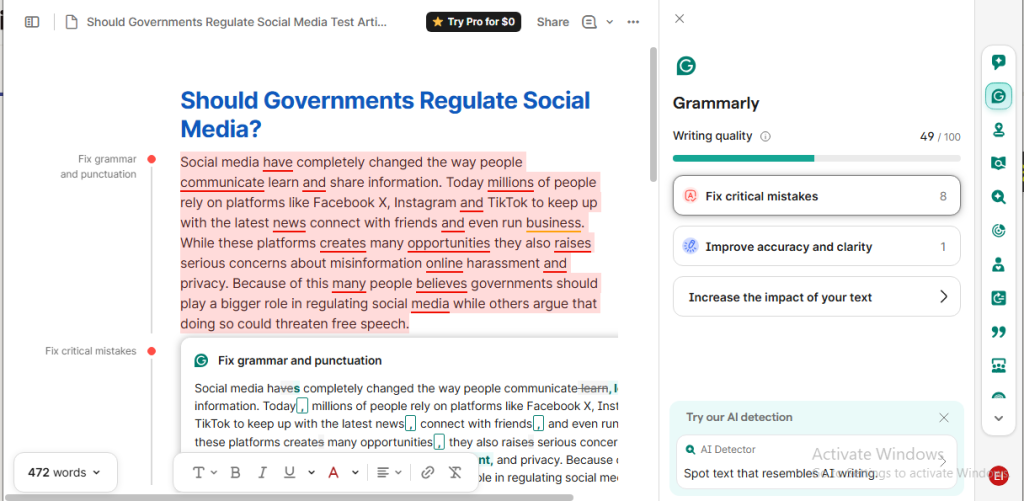
Uploading the writing sample was smooth (Grammarly also offers a paste option). Before I could say “Jack Robinson,” Grammarly analyzed the document, highlighting the grammar, punctuation, and spelling errors in red. Hovering your cursor on each errors displayed recommendations, which you can either accept or dismiss.
I found Grammarly’s interface well organized and intuitive. Text formatting features, like bold, italic, and underline, were where I expected them to be—at the bottom of the document. Meanwhile, the editing tools were neatly tucked into the right-hand sidebar. I didn’t have to hunt for features. Everything I needed was one click away ( so convenient).
The writing sample I uploaded had 9 pure misspellings and 4 homophone errors, bringing the total to 13. Grammarly flagged all accurately, providing suitable recommendations.
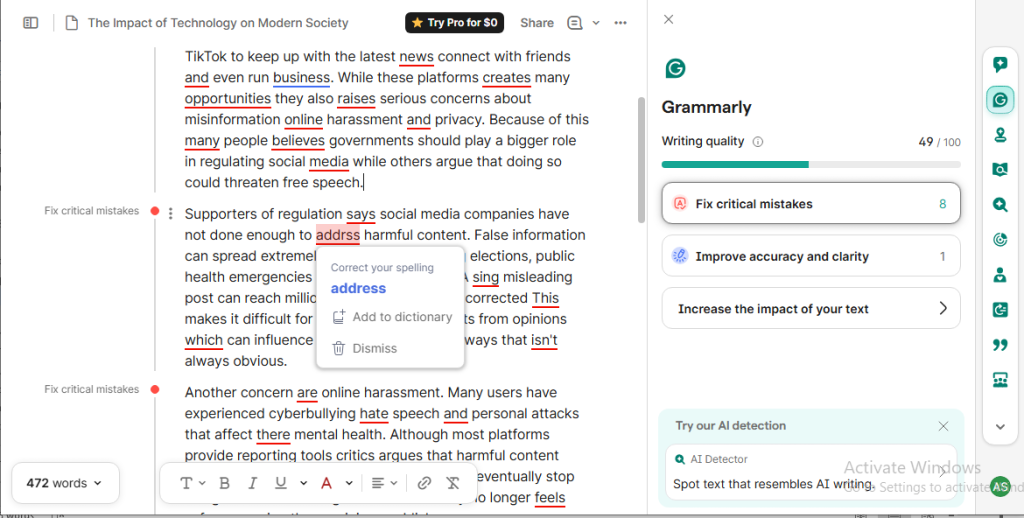
The free grammar checker also caught all 36 punctuation errors (omission of the Oxford comma counts as a punctuation error). And suggested accurate one-click recommendations. I like how it doesn’t just recommend corrections. It tells you the problem with the flagged error—whether grammar, spelling, or punctuation.
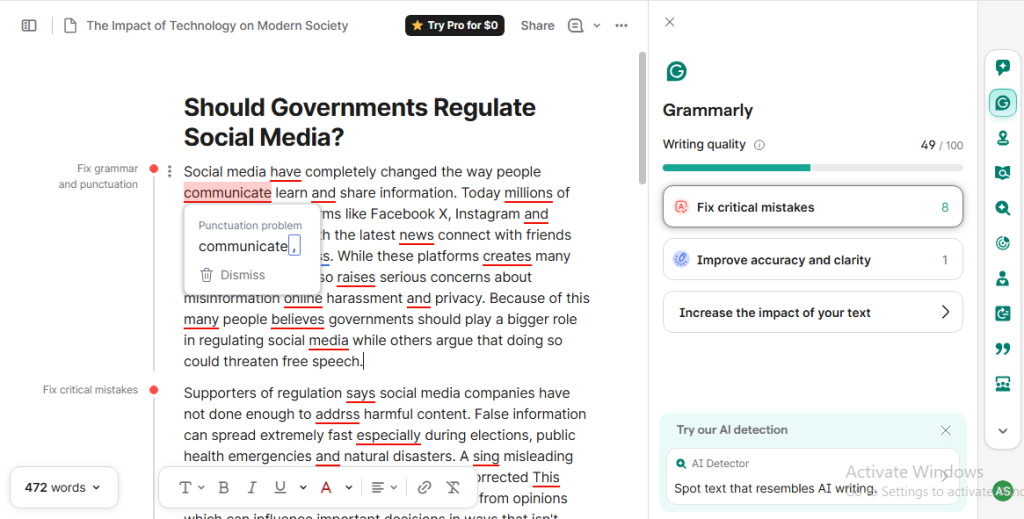
Speaking of grammar, Grammarly’s free plan accurately flagged and recommended corrections for 16 grammar errors—15 subject-verb agreement issues and 1 noun number/article usage error. It also detected 3 homophone errors, which I’d classify as usage issues, not grammar errors.
Overall, I found Grammarly’s suggestions clear. They made sense, were easy to understand, and improved the quality of my writing. As for its AI writing features, the “Ask AI” feature fell short of my expectations.
Here’s why.
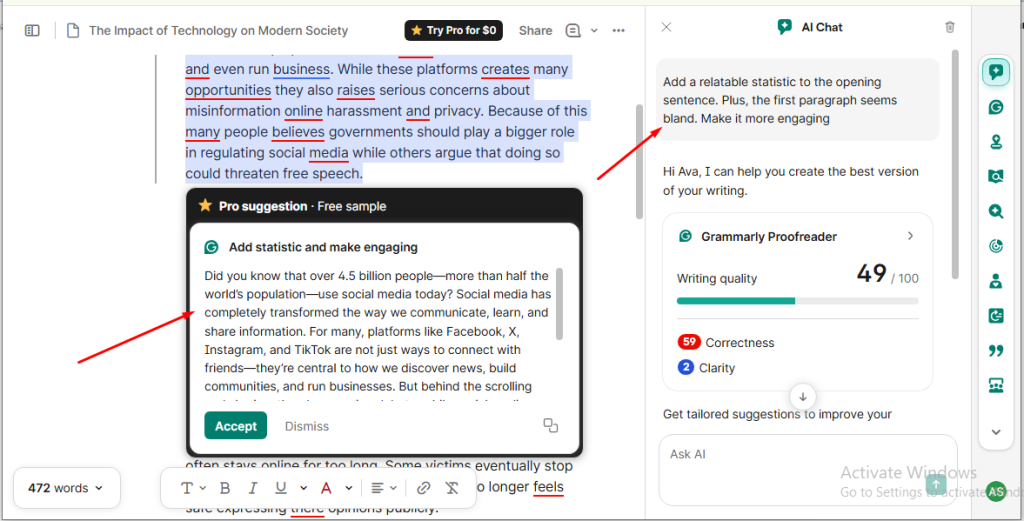
I asked it to make the first paragraph of the writing sample engaging, and add a relatable statistic to the first sentence. To test the accuracy of its answers, I also asked it to state the name of the current US president.
Did it add the statistics? Yes. But it was outdated. And factually incorrect. In fact, none of the 10 statistics I asked it to generate were fully accurate.
What about the accuracy test? Did it pass? Why don’t you tell me? It named Joe Biden as the current US president. Talk about hallucination!
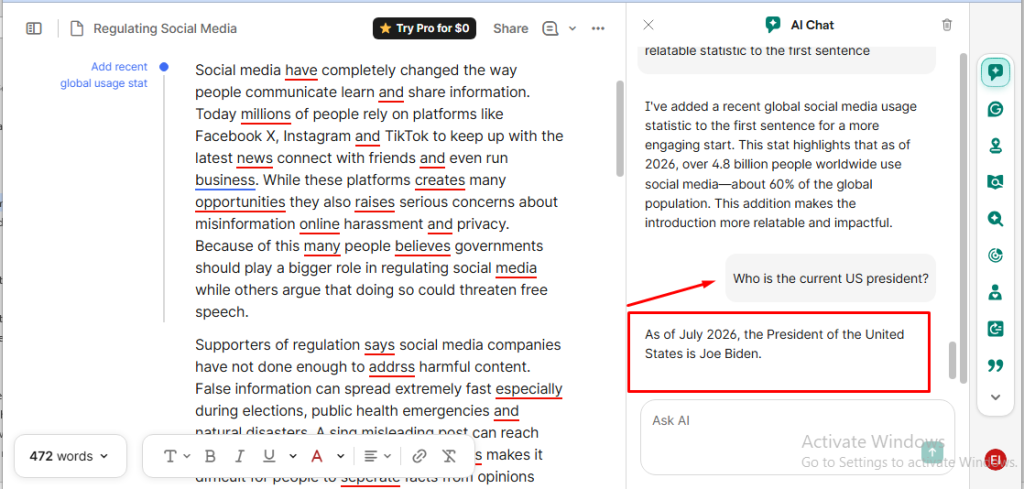
Although Grammarly’s AI chat generated laughable facts and statistics, it did a better job of making the first paragraph of the sample more engaging. Other AI-powered features like the plagiarism checker, AI detector, and full-sentence AI rewrites are behind a paywall.
Grammarly works across your desktop, browser, and mobile device. This means you can start proofreading a document on a desktop at home and finish it on your mobile device while riding in an Uber or a train.
Additionally, if you’re a multilingual writer or a language learner, you’d appreciate Grammarly’s multilingual language support. It provides access to grammar and spelling corrections in English plus 23 other languages.
Aside from Grammarly’s multilingual support—which is free—you know what else impressed me? It’s omnipresence! With the free plan, I could install Grammarly’s browser extension and get real-time suggestions (some were locked behind a paywall) on platforms like Claude, ChatGPT, Google Docs, LinkedIn, and Gmail. The surprising part? You can use it in over 1 million apps and websites!
Use Grammarly Free Grammar Checker if
- You’re an everyday writer, blogger, or professional with light editing needs.
- You’re a high-volume writer who needs a tool with a generous word count limit.
- You want a free AI grammar checker that works across many apps and websites.
- You’re a student who needs quick edits without requiring plagiarism/AI detection.
- You want a tool that offers basic corrections without diving deep into editorial feedbacks.
Note: During my test, I noticed that Grammarly free plan offers 3-4 free pro suggestions per day as a way to promote their pro plans. Once exhausted, some suggestions will be locked behind a paywall.
2. ProWritingAid
ProWritingAid prides itself on “bringing your story to life.” It reminds me of the first short story I published on Wattpad a decade ago. The grammar and typos were so bad; I still cringe whenever I think about it. If only I’d discovered ProWritingAid sooner.
How the online grammar checker came to be has all the hallmarks of a classic startup origin story. The founder, Chris Banks, struggled with writer’s block while trying to write a novel. He couldn’t find a good solution. So he built one himself. This led to the birth of ProWritingAid.
The tool has since evolved from a personal project into one of the best free online grammar checkers. And although it markets itself as “The Storyteller’s Toolkit,” It’s also built for students, professionals, bloggers, editors, etc., who need a writing assistant with deep editorial feedback.
What you get for free
- Grammar and punctuation checking: Flags and provides suggestions to common grammar and punctuation errors in real time.
- 3 sparks per day: You can use ProWritingAid AI writing assistant to rewrite, improve, summarize, expand your text, brainstorm creative ideas, and so on.
- Spelling checking: Flags common misspellings such as typos, missing letters, repeated letters, and capitalization errors, offering real time suggestions.
- Document type setting: Lets you tell ProWritingAid your writing style so it can tailor its suggestions to fit that context.
- 10 rephrases per day: Uses AI rephrase feature to rewrite sentences, improving the flow, tone, and comprehension of your text.
- 500-word limit: Lets you proofread 500-word document at a time. To check longer documents, you’ll have to split them into bits to avoid exceeding the limit.
- 2 runs per report per day: After proofreading a document, ProWritingAid lets you run reports on it. The report analyzes your text for style, readability, transitions, diction, and more. Then provides detailed, actionable feedback.
Free plan limitations
- 500-word limit per check: You can’t proofread longer documents (over 500 words) at once. You’ll have to split it into parts.
- Limited report runs: The free plan allows only 2 reports per day. This can be restrictive if you’re proofreading multiple documents.
- No advanced reports: Some advanced reports, like chapter critique, manuscript analysis, and plot analysis, are only available to premium users.
- Limited rephrasing per day: You can only rewrite 10 sentences per day. Once exhausted, you may resort to rewriting unclear or awkward sentences yourself.
- Limited AI features: Offers 3 sparks (AI writing assistant) per day. This can be restrictive if you rely on AI for brainstorming, improving, expanding, summarizing, and rewriting your texts.
How it performed in my test
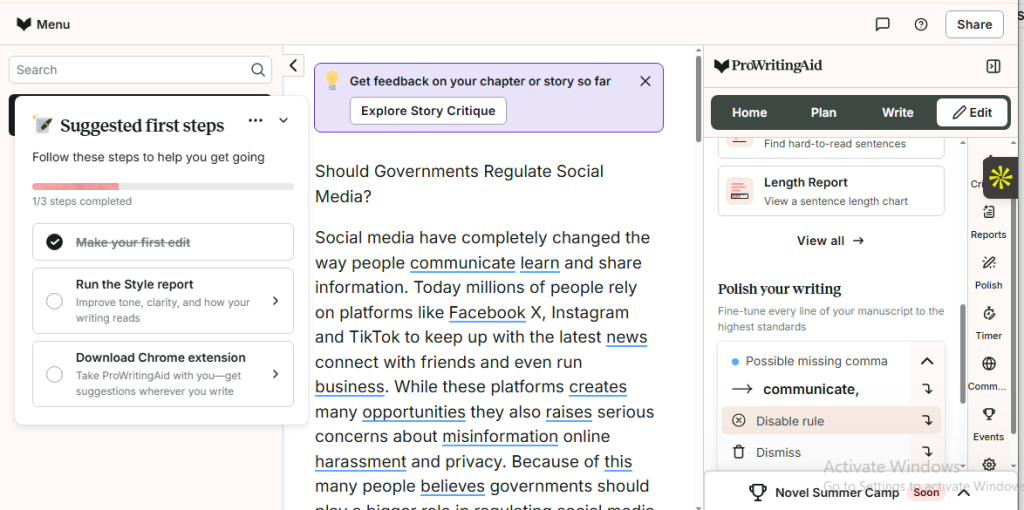
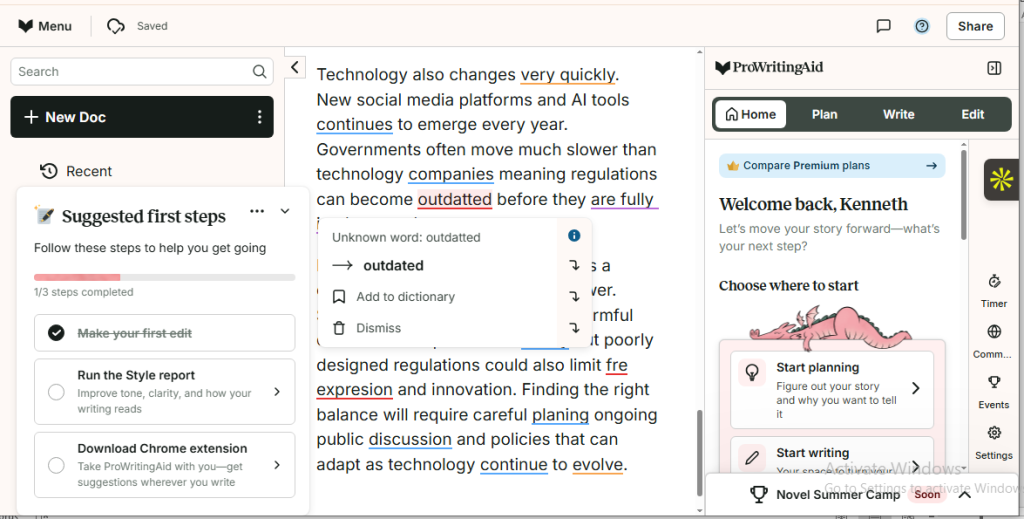
After uploading the document (paste option is available), ProWritingAid analyzed it, flagged errors, and suggested corrections—which you can accept or dismiss in one click. It also highlighted punctuation errors in blue, unknown words in red, and passive verbs in purple.
As I reviewed the document, I couldn’t help but notice ProWritingAid’s editor interface. Unlike Grammarly, it appeared busy, cluttered, and less intuitive. Every corner of the interface wanted me to click something (there was also a weird cartoon-like dragon illustration perched on the menu cards).
To make navigation easier, ProWritingAid offers a tutorial video and a tooltip (a small pop-up message that explains what an icon or button does). Although a thoughtful touch, I would have loved it if its interface were well organized. Saves me time hunting for features.
For instance, the ProWritingAid editor doesn’t display a live word count of your document that updates as you type. You’ll have to run a sentence length report to see the exact number of words and characters in your text.
The writing sample I uploaded contained 13 intentional misspellings (9 pure misspellings and 4 homophone errors). ProWritingAid flagged all and suggested corrections for 11 of the errors. The other two were locked behind a premium paywall.
Of course, it didn’t just flag the errors and suggest corrections like your phone’s autocorrect. It explained why it was flagged. And I was impressed with how detailed it was, compared with Grammarly’s.
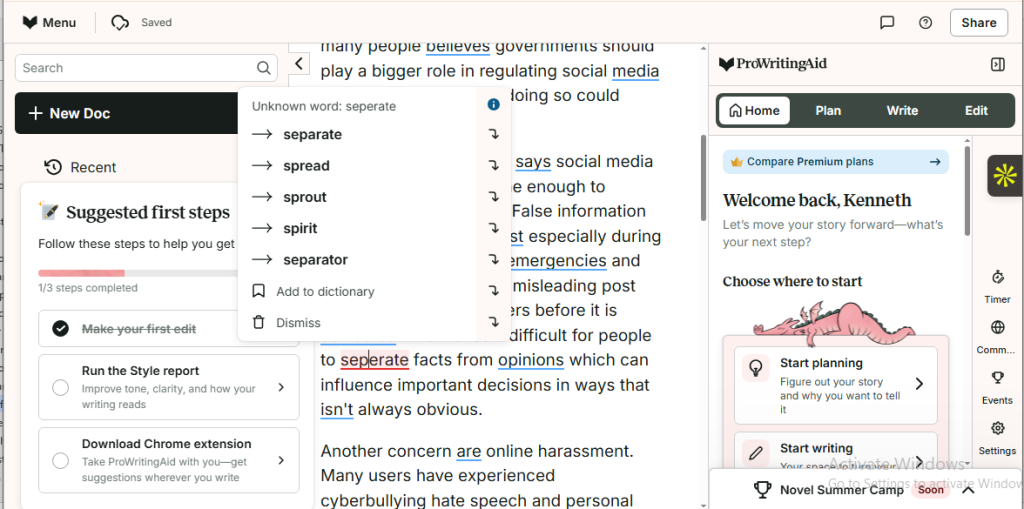
While checking the text for misspellings, I noticed that ProWritingAid didn’t account for context when suggesting corrections. For instance, in one sentence, “separate” was misspelled as “seperate”.
Instead of suggesting just “separate” as the right correction, it also suggested unrelated words like spread, sprout, spirit, and separator, even if they don’t make sense given the surrounding sentence. By comparison, Grammarly suggested just “separate.”
ProWritingAid also caught 33 of the 36 punctuation errors in the document. However, it missed 3 debatable comma-related errors (omission of Oxford and introductory comma, which is a style preference issue, so I wouldn’t regard them as hard errors).
Plus, I noticed two things: ProWritingAid wasn’t consistent with the style guide throughout the content. It omitted the Oxford comma in the first paragraph, but included them in other sections of the article.
The second thing I noticed? Out of the 33 errors QuillBot flagged, it suggested corrections to 31. The other 2? I was told to upgrade to access them.
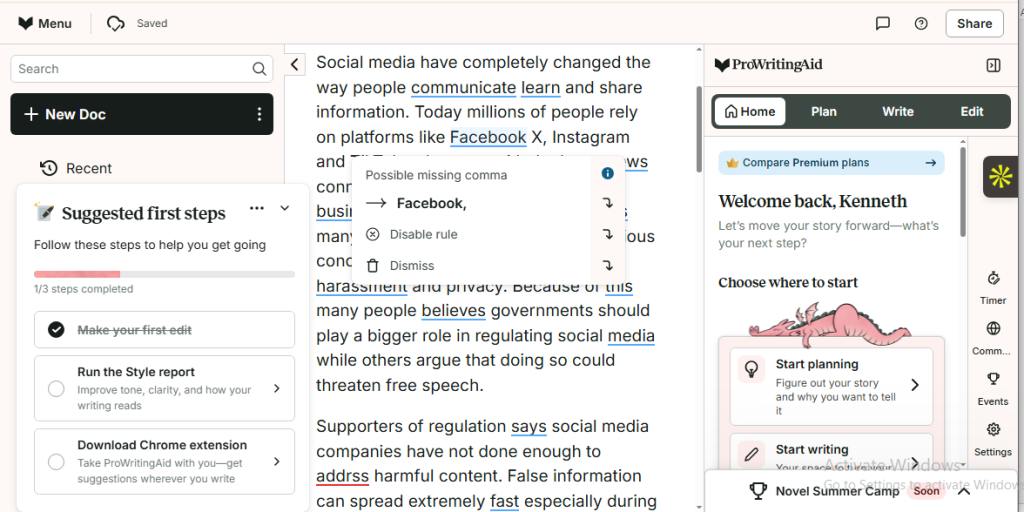
As for grammar, ProWritingAid detected all 16 grammar-related errors—subject-verb agreement issues (15) and a noun number/article usage error (1)—and provided correct suggestions. Like Grammarly, it flagged 4 homophone errors, which I’d classify as usage issues rather than strict grammar errors.
I thought ProWritingAid suggestions were clear and easy to understand. I especially love the explanations attached to each error. They were more detailed than Grammarly’s.
However, as I mentioned earlier, when suggesting corrections for misspellings, I found that ProWritingAid included the right spelling along with unrelated words that didn’t fit the context of the sentence.
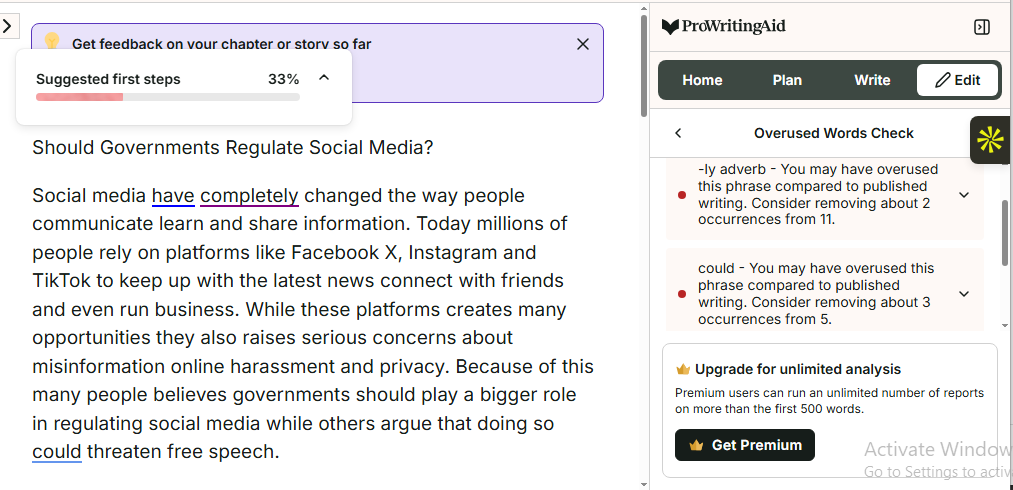
That said, if there’s one area where ProWritingAid outshines Grammarly, is its dedicated report system. It’s like having the editor version of Iron Man’s Jarvis run analysis on different aspects of your writing, — style, length, overused words, transition, etc., –offering detailed reports on each one.
To test the feature, I ran a report on overused words. The result was impressive. Unfortunately, the free plan restricts me to 2 reports daily.
If there’s one feature I’m usually excited to test in all the best free grammar checker, it’s their AI writing tools. Yes, I was somewhat impressed with Grammarly’s because it could hold conversations. This gave the impression of a helpful writing buddy.
But ProWritingAid’s? That one got me scratching my head trying to figure out why it doesn’t support back-and-forth conversation. I also thought its AI writing tools were limited.
Here’s why.
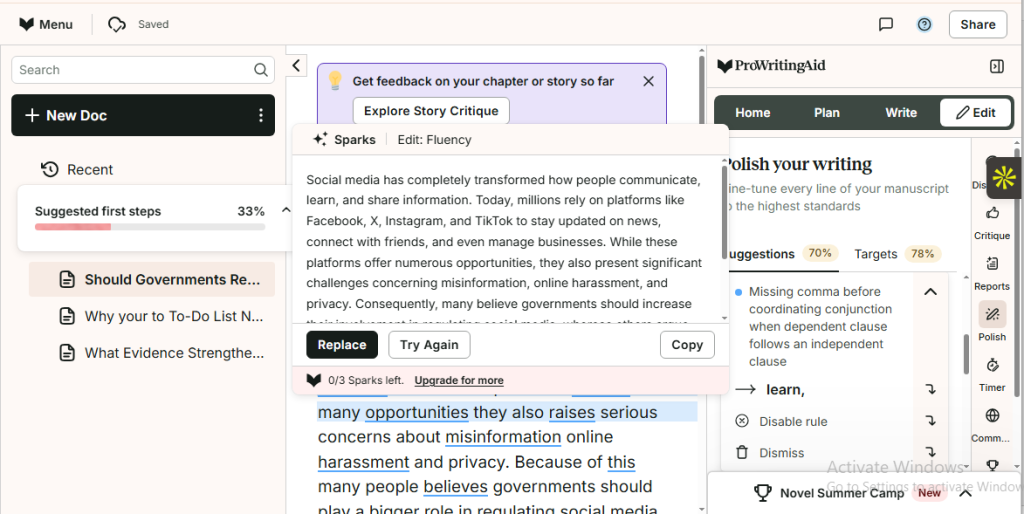
ProWritingAid’s AI writing tool feature consists of two major components—Spark edits and Spark Inspire. Spark Edit helps you improve your text. Whereas Spark Inspire helps you overcome writer’s block by generating ideas.
Both have limited built-in pre-defined prompts (10 and 13, respectively) compared to back-and-forth conversational AI. Where you can ask it to do whatever you want like add a statistic to the first sentence of your essay or create a thank-you email from scratch.
I used the Spark edit to improve a paragraph’s fluency. The output was generic, as expected.
If you want writing analysis inside your favorite desktop writing apps, like scrivener, MS Word, or Vellum, you’ll need to install ProWritingAid desktop everywhere for Mac or ProWritingAid desktop everywhere for Windows. Its Web Editor (the one I used for the test) works in browsers like Google Chrome, Microsoft Edge, and Firefox.
I installed ProWritingAid’s browser extension in Google Chrome (it works in Edge and Firefox). And I liked how it followed me around. It analyzed my text, suggesting real-time corrections while I typed in Google Doc, ChatGPT, Claude, LinkedIn, and even web-based Grammarly editor—to my surprise.
If you’re a multilingual writer or a non-native English speaker (writing in your native language) and you’re interested in ProWritingAid, sorry to break it to you: it’s only available in English (General, American, British, Australian, and Canadian) and doesn’t check grammar in other languages.
Also, if plagiarism detection is high on your list, you might want to look elsewhere as ProWritingAid’s free plan doesn’t offer the feature.
Use ProWritingAid Free Grammar Checker If:
- You are ok with a bit of a learning curve
- You don’t mind editing your writing in 500-word chunks.
- You’re a casual /creative writer working on short 500-word pieces.
- You need a free grammar checker with in-depth editing and analysis.
- You’re a student writing short essays, lab reports, or creative writing assignments.
- You’re an aspiring novelist looking to experience ProWritingAid specialized report.
3. QuillBot
Like Dell, Facebook, and Snapchat, QuillBot was born in a college dorm room (If you stay in a college dorm, this is your cue). Almost a decade later, it boasts over 35 million monthly active writers. And it’s ranked 3rd on my list of best free grammar checkers.
How’s that for a success story?
QuillBot started as a paraphrasing tool and has since grown into a full-fledged writing assistant. Whether you’re a student writing an essay or a professional drafting a business email, QuillBot can help catch punctuation, grammar, and spelling mistakes, ensuring that your content is polished and error-free.
What you get for free
- Basic writing suggestions: Catches surface level grammar, spelling, and punctuation errors. Think typos, subject-verb agreement, and missing commas in series.
- Correct grammar in 6 languages: Suggests corrections for content written inEnglish (UK, US, Australian, Canadian), German, Spanish, French, Dutch, and Portuguese.
- AI detection: Flags AI-generated text to ensure your text is 100% human- written. AI detection is limited to 1,200 words per scan (up to 10 scans per day). And allows only 1 file upload at a time.
- 20 AI chat queries per day: Brainstorm, summarize, rewrite, simplify, expand, edit, and generate content using QuillBot AI. Allows 20 queries per day.
- Generous word limit: No official word limit for the free plan. However, I was able to upload a document of up to 17k words.
Free plan limitations
- No advanced writing suggestions: Doesn’t provide advanced writing recommendations like fixing passive voice, rewriting text for clarity, and adjusting tone to your audience.
- No tone insights: You can’t analyze how your writing sounds to your readers (e.g., formal, casual, friendly, professional), so you can adjust It accordingly.
- Limited AI detection: Capped at 1,200 per scan (up to 10 scans per day). It also allows only 1 file upload at a time.
- Limited AI chat queries: Allows 20 AI chat queries per day. Premium and team plan subscribers enjoy unlimited AI chat queries.
How It performed in my test
I get frustrated whenever I need a tool for a quick task, and I run into a sign-up page. The thought of clicking multiple buttons to create an account. Or racking my brain to come up with a password that doesn’t get flagged as “weak,” drains me faster than running up a cliff in the Florida summer heat.
If you are anything like me, you’ll love QuillBot. No sign-in required—just paste your text and get instant real-time corrections.
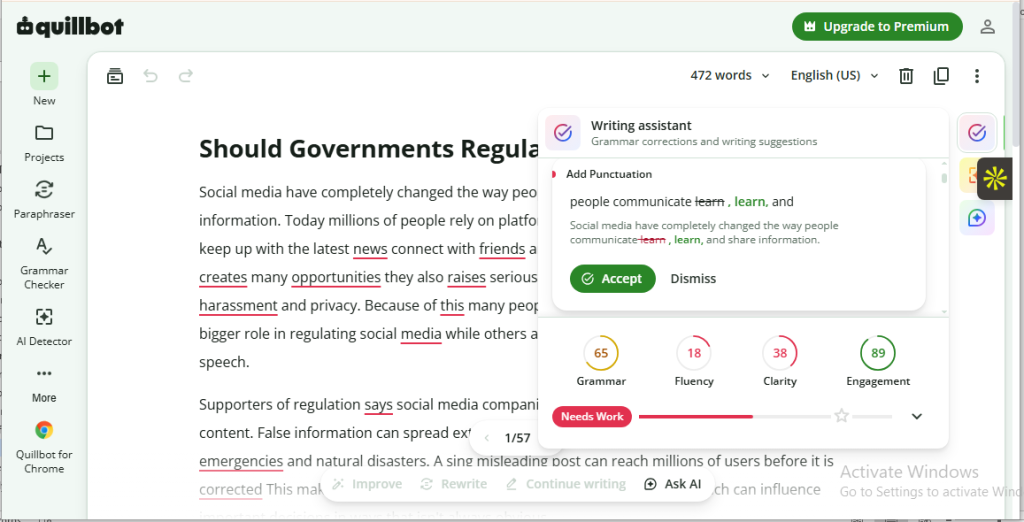
Uploading the 472-word document was a breeze (you can use the paste option). Immediately the text loaded up, QuillBot flagged all errors almost instantly (suggestions may take time to appear for longer document/heavier document) while displaying a writing score sheet (grammar, fluency, clarity, and engagement)
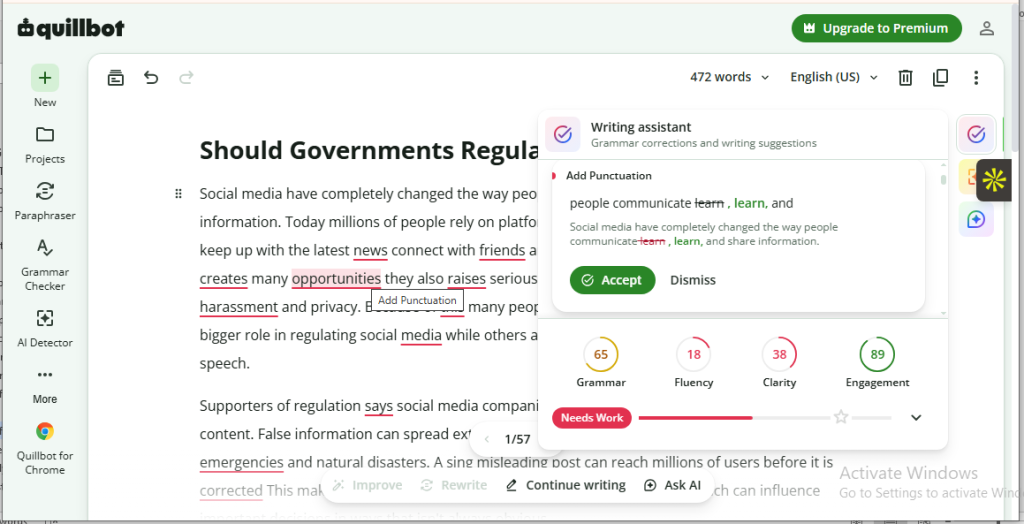
If you are familiar with ProWritingAid, the QuillBot editor interface will feel like a breath of fresh air. It’s simple and easy to navigate with fewer buttons and icons screaming for your attention. Plus, I liked that you could collapse the writing assistant panel to have more room while editing.
However, its simplicity means it has fewer features compared to Grammarly and ProWritingAid. If you need a free grammar checker for light editing, that shouldn’t be a concern.
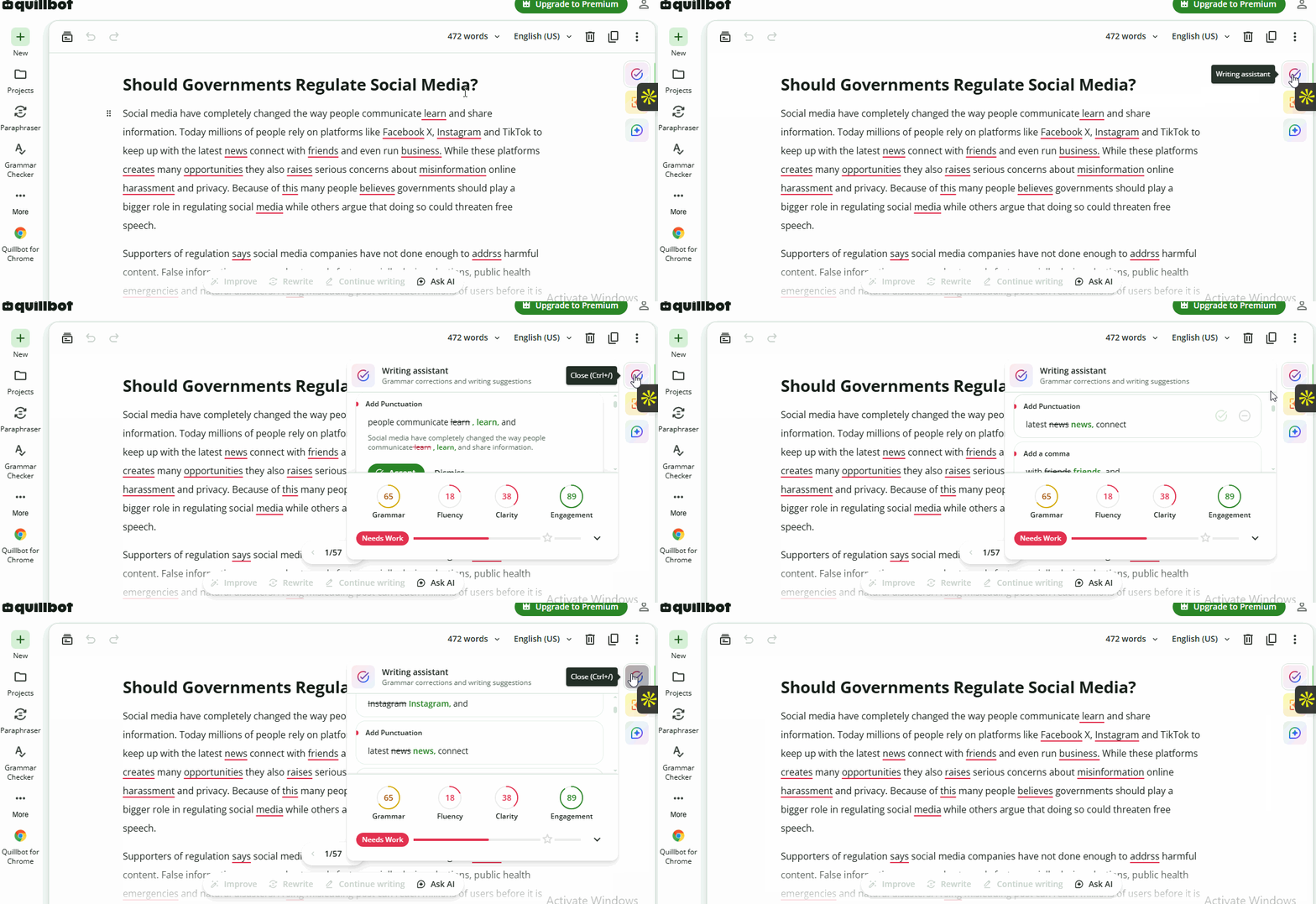
The document I uploaded contains 13 intentional misspellings (9 pure misspellings and 4 homophone errors). QuillBot detected all and suggested one-click corrections. None were locked behind a premium paywall.
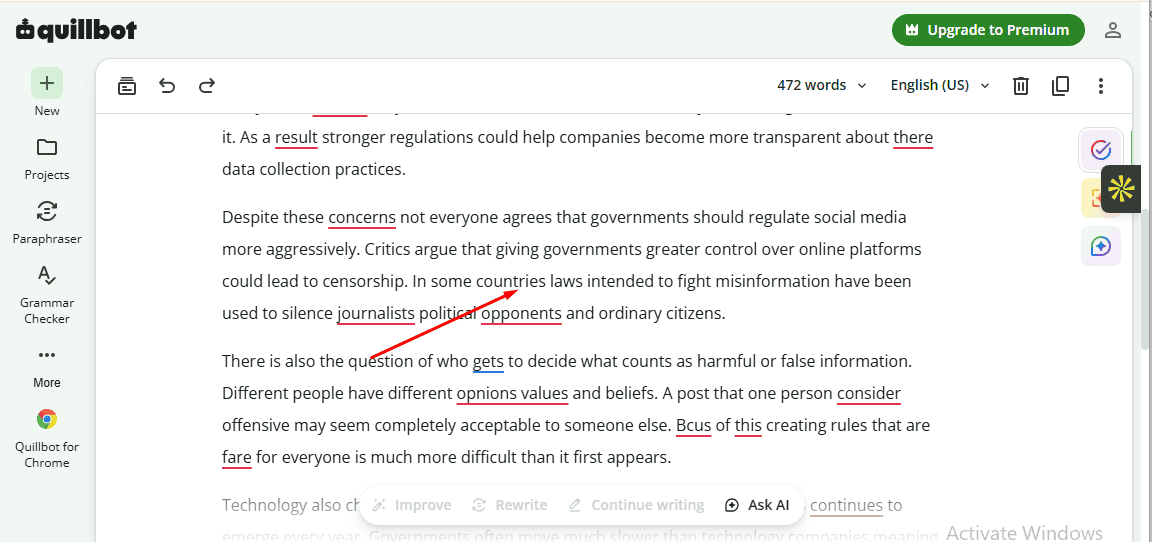
Besides misspellings, the document also contains 36 intentional punctuation errors. QuillBot flagged 32 and missed 4. But I wouldn’t really categorize them as hard punctuation errors. They were simply styling preferences where QuillBot chose not to add a comma after introductory words (as shown below)
What about grammar errors? Of course, the content has 16 of them. QuillBot flagged all—15 subject-verb agreement errors and 1 noun number/article usage error—and suggested accurate corrections. It also caught 4 homophones, which I’d classify as usage issues, not grammar errors per se.
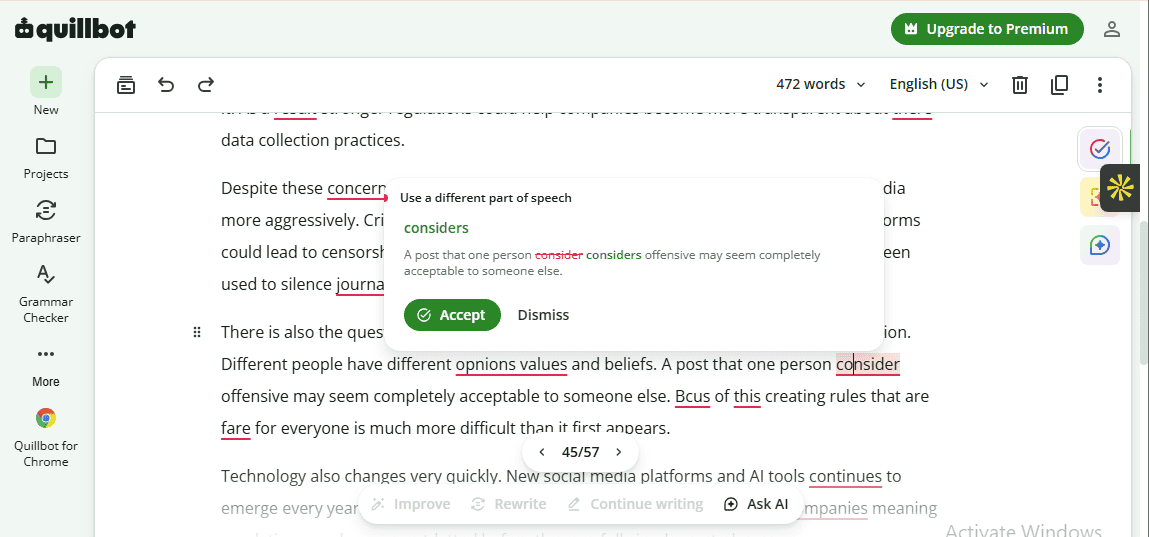
I noticed that QuillBot provided one conciseness and one tone suggestion. However, they were restricted to paid subscribers.
Nevertheless, I found QuillBot grammar, punctuation, and spelling suggestions useful and easy to understand. They improved the correctness, clarity, and quality of my content.
I was also impressed by how insightful its error explanation is. And how the grammar checker suggested accurate corrections to typos based on the context of my sentence. Only Grammarly performed better in that regard.
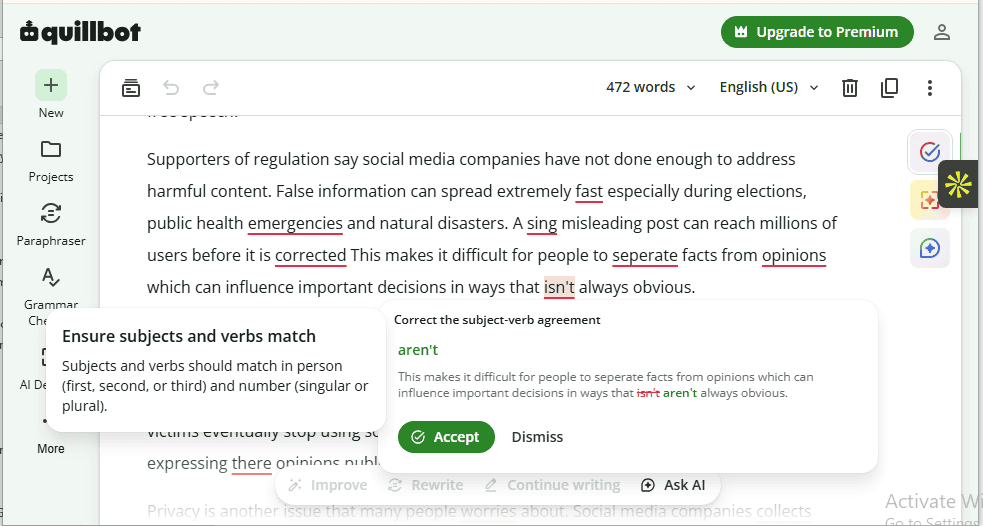
As an AI fan, I was eager to test QuillBot AI writing tools. I began with the Ask AI feature, which supported back-and-forth conversations. This means I could chat with it like a human colleague.
And so I did.
I used the Brainstorm feature to request statistics related to my article. Out of the 9 generated stats, 3 were completely correct. Furthermore, I asked the AI writing assistant to summarize my content. Was I impressed with the output? You bet! It distilled the 472-word essay into a 143-word summary that captured its main ideas.
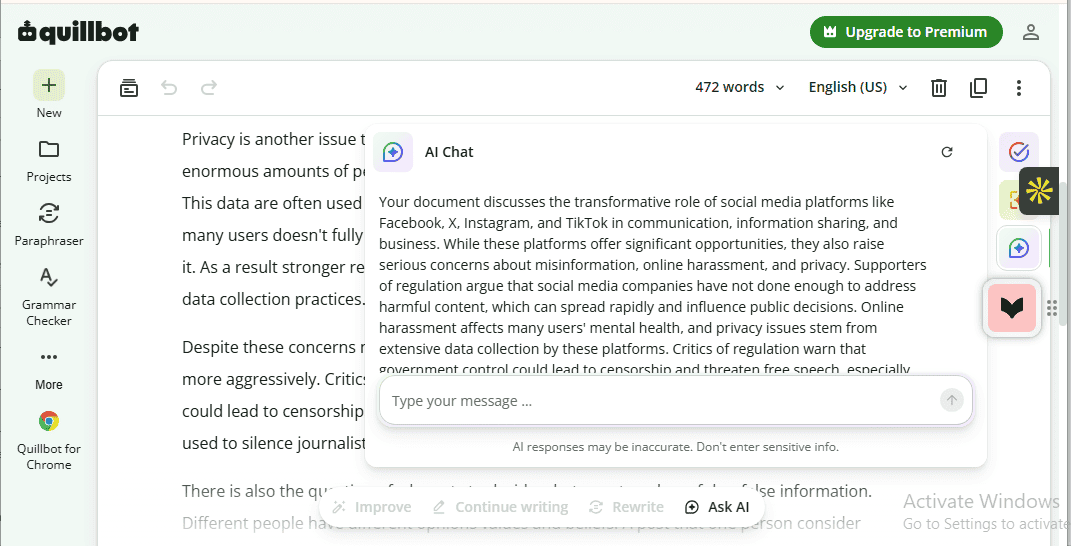
Beyond generating summaries and brainstorming, QuillBot AI writing assistant can also verify claims made in your document by comparing them with what’s on the web. It includes features like Rewrite, Improve, and Continue Writing.
With Rewrite, you can reword highlighted paragraphs (500 characters or less) to improve the clarity, tone, and flow of your text. The Improve option helps you restructure highlighted paragraphs (500 characters or less). Meanwhile, the Continue Writing option is a generative AI that predicts and writes the next sentence for you.
The downside? They come with 10 free command usages per day (the Ask AI feature has 20). You get more when you upgrade.
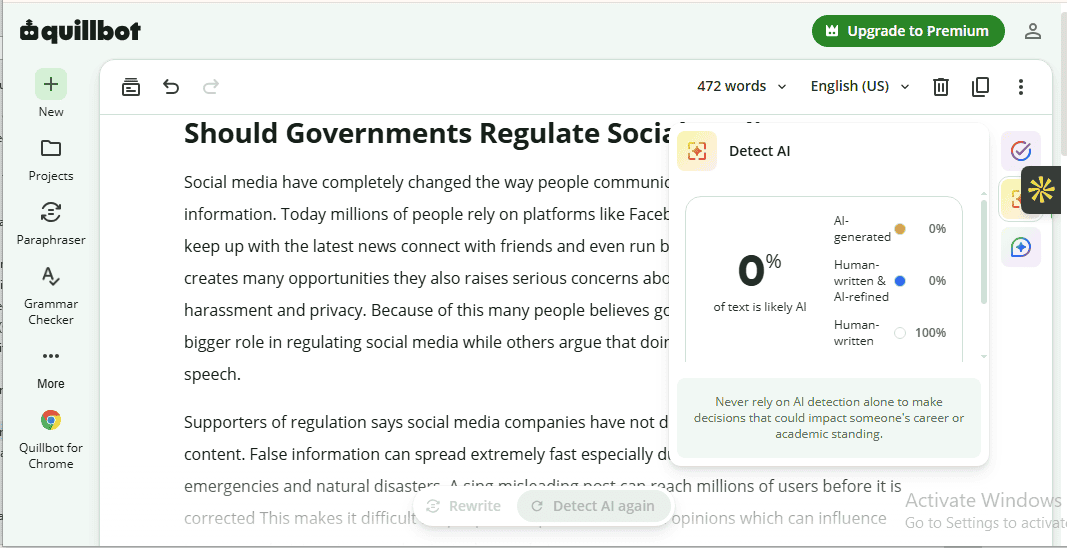
I was glad that QuillBot AI detector is free and doesn’t have usage caps. On top of that, it automatically suggests rewriting or citing AI-generated text to ensure originality and transparency. However, after testing the AI detector, I was very disappointed with the result.
Here’s why:
I used the AI detector to analyze a text written with ChatGPT from scratch. According to the tool, the text is 100% human-written—which is obviously false.
Furthermore, free plan users are restricted to just the AI score of a text. Detailed results, including why a text triggered AI detection and which AI phrases were found, are only available to paid subscribers.
QuillBot is available on Windows, Chrome, macOS, Mobile, IOS, Android, and the Web. Its browser extension—which suggests corrections when you write in your favorite web-based apps—works on Google Chrome, Microsoft Edge, Brave, and Opera.
Here is where things get interesting: Aside suggesting correction, QuillBot browser extension includes a cursor that allows you to generate text – right in the text field–using AI. For instance, I asked it to add two extra sentences to a text in my X (Twitter) compose box.
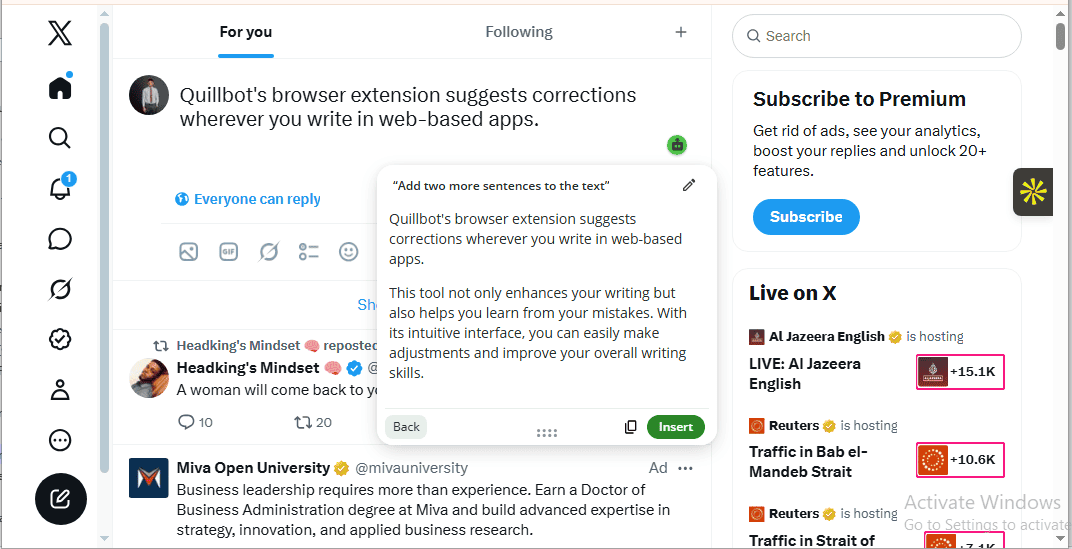
You can also translate or humanize an existing text, insert a GIF, and find synonyms for highlighted words. All of it happens within a website text field.
Outside the browser, QuillBot works directly in Microsoft Word and Google Docs. This prevents you from switching between apps, giving you a seamless editing experience.
That said, I found it limiting that QuillBot grammar checker supports just 6 languages (English plus 5 others). This could be a big blow for multilingual writers, language learners, and international business teams.
Use QuillBot Free Grammar Checker if:
- You want a grammar checker with instant access.
- You’re a student on a budget doing basic assignments.
- You need basic writing suggestions for everyday writing.
- Accurate AI detection isn’t a requirement for your writing.
- You write in English, Spanish, French, German, Dutch, or Brazilian Portuguese.
4. Wordtune
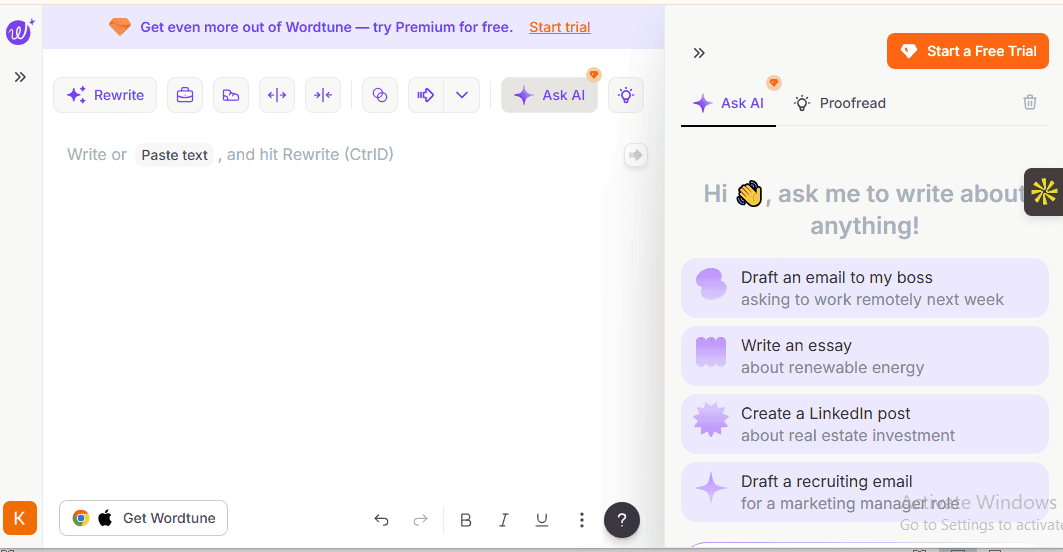
Wordtune was launched in 2020 by A121 Labs, an Israeli AI company founded by Yoav Shoham, Ori Goshen, and Amnon Shashua. The free online grammar checker markets itself as “more than just a grammar checker”—offering features that help you elevate your writing and express your thoughts accurately, not just fix errors.
Wordtune has a modern look and feel that draws you in and gets you pumped about testing its features. On top of that, it’s trusted by over 10 million users globally—which is impressive for a tool released in late 2020.
Wordtune is best for non-native English speakers looking to translate text into polished English. Or professionals who want to avoid embarrassing grammar or spelling mistakes. Students looking for a budget-friendly tool to check their essays, reports, and assignments, and rewrite texts should also consider the free grammar tool
What you get for free
- Basic spelling and grammar suggestions: Offers basic spelling and grammar suggestions for issues like subject-verb agreement, verb tense, typos, and misspellings.
- Basic punctuation suggestions: Provides basic punctuation suggestions like missing or misplaced commas, incorrect or missing periods, and apostrophe errors.
- Smart synonyms: Suggest similar words for any text you highlight. Limited to 10 synonyms per day.
- Tone adjustment: Rewrite highlighted sentences so they sound more casual or formal. Limited to 10 usages per day.
- Continue writing: Expands your writing by adding new sentences to the end of a sentence to build on the original idea. Capped at 10 daily usages.
- Contextual suggestions: Offers pre-defined prompts like providing an opposing opinion, expanding on a point, and adding stats that fit the meaning of the text in question. Permits up to 10 contextual suggestions daily.
- Expand and shorten: Lets you trim a sentence or make it longer to add more details. The features work on a sentence-by-sentence basis and are limited to 10 uses daily.
- Rewrite: Improve the sentence structure of highlighted text while preserving its original meaning. The free plan allows just 10 rewrites per day.
Note: Wordtune AI-powered writing features are limited to 10 uses per day. This covers rewrites, synonyms, tone adjustment, expand and shorten, contextual generation, and so on.
Free plan limitations
- No advanced spelling and grammar suggestions: Flags advanced writing errors like clarity issues, conciseness, and awkward phrasing. But hides suggestions behind a paywall.
- No advanced punctuation suggestions: Semicolon usage, colon usage, parentheses, quotation punctuation, and other advanced punctuation suggestions are accessible to paid subscribers.
- No Ask AI prompts: AI chat is only available to paid subscribers. Making it hard for free users to brainstorm ideas, generate text, or refine their writing.
- Limited rewrite: The Rewrite feature is limited to 10 uses per day. The advanced plan is capped at 30 uses per day, while the unlimited plan has no usage limits.
- Limited expand and shorten: Expand and shorten is capped at 10 daily uses. Basic and advanced plans allow more.
- Limited contextual generation and tone adjustment: Tone adjustment and contextual generation are capped at 10 daily uses.
- Continue writing: Free users can generate new sentences using the Continue Writing feature, but it’s limited to 10 daily uses.
How It performed in my test
Wordtune quickly analyzed the sample text, flagged grammar, punctuation, and spelling errors, and suggested one-click corrections. Besides its speed, I was impressed with Wordtune’s editor interface. I thought it was clean, easy to navigate, and well-laid out.
Ever heard of an onboarding tooltip? It’s that small pop up that explains the function of each icon on a website interface. Wordtune uses it. And as a first-time user, I thought it was a nice touch.
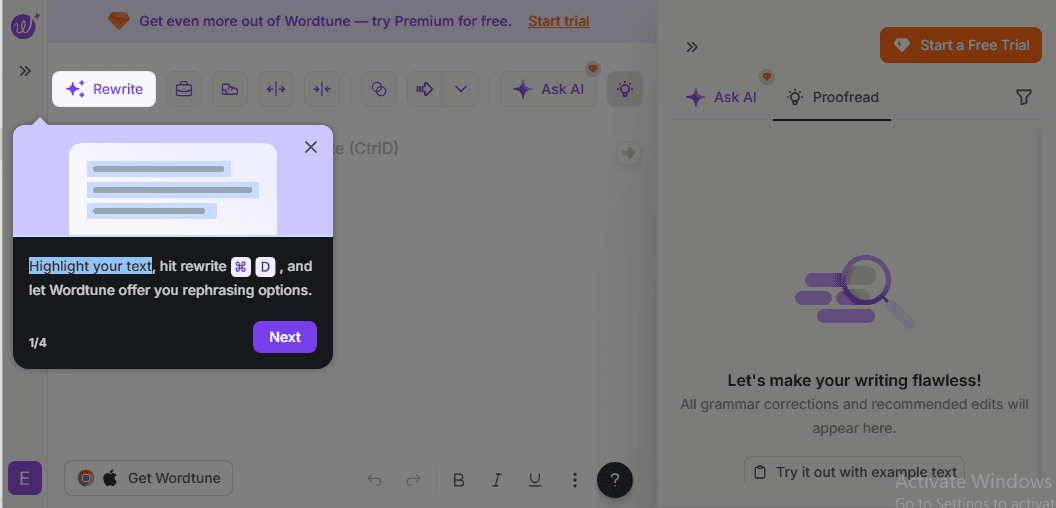
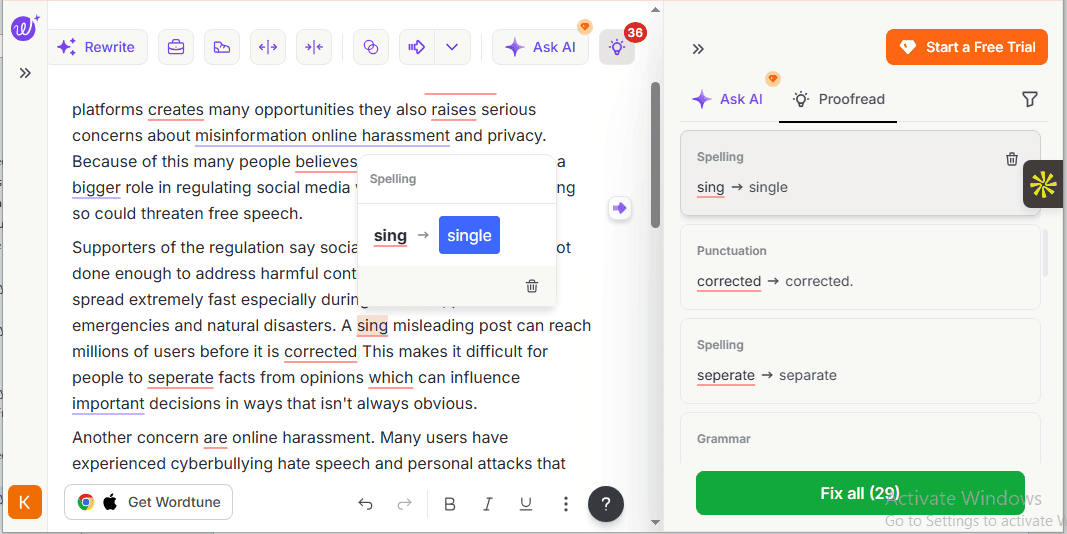
The sample text contains many intentional grammar, spelling, and punctuation errors. Wordtune detected all 13 misspellings (9 pure misspellings and 4 homophone errors) and suggested corrections.
While it accurately labeled each error as “spelling”, I would have loved it if it included the type—letter omission, homophone, typo, compound word error—to aid learning.
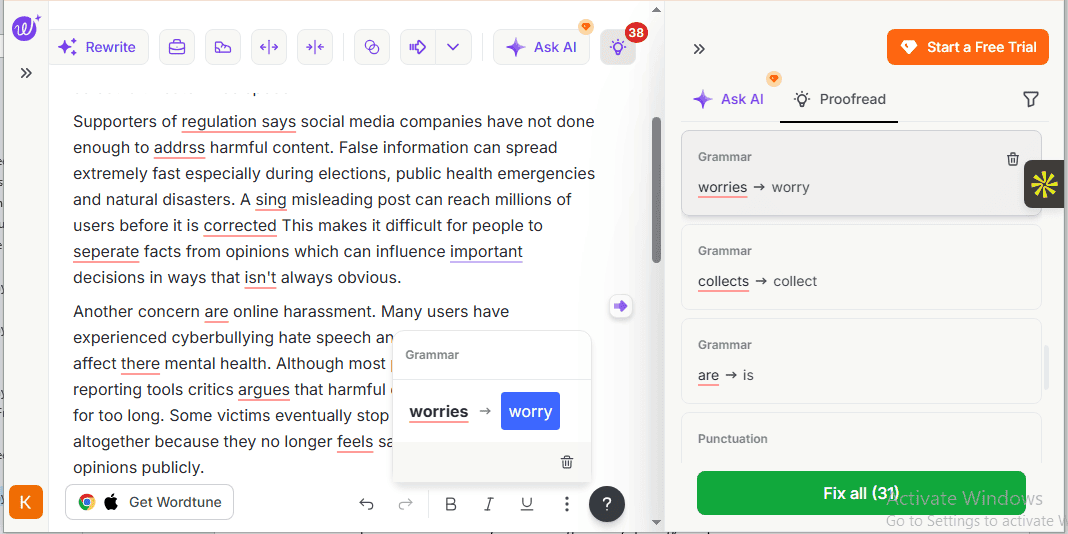
Next are grammar errors.
The sample text contains 16, including 15 subject-agreement issues and 1 noun number/article usage error. Wordtune flagged all of them (including 4 homophones that aren’t strict grammar errors per se), suggesting accurate corrections.
I didn’t like that it tagged the errors as ‘grammar error’, without specifying the type. How do users distinguish between a subject-verb agreement error and a missing or incorrect article?
Wordtune also checked the sample text for punctuation errors. And I’d be joking if I said the result didn’t leave me thinking there was a glitch somewhere. The free grammar checker flagged just 5 of the 36 punctuation mistakes, providing correct suggestions to four while locking one behind a paywall.
I also noticed something strange. Wordtune didn’t suggest “comma” to all 8 introductory prepositional phrases/words in the article. This made the sentences a bit harder to read.
To encourage me to consider its paid plans, Wordtune included suggestions to improve the clarity and fluency of the sample text. However, they were all locked behind a paywall.
Overall I wasn’t completely satisfied with Wordtune suggestions. Yes, they were easy to understand and useful. Did they improve the quality of my text? Sure! But as I mentioned, I wasn’t particularly impressed with the vague tags.
For instance, Wordtune tagged every grammar issue it flagged as “grammar.” Similarly, it tagged all punctuation issues as “punctuation” and misspellings as “spelling”. Rather than using generic tags, I would have loved it if it went further and indicated the type of punctuation, spelling, or grammar error it flagged.
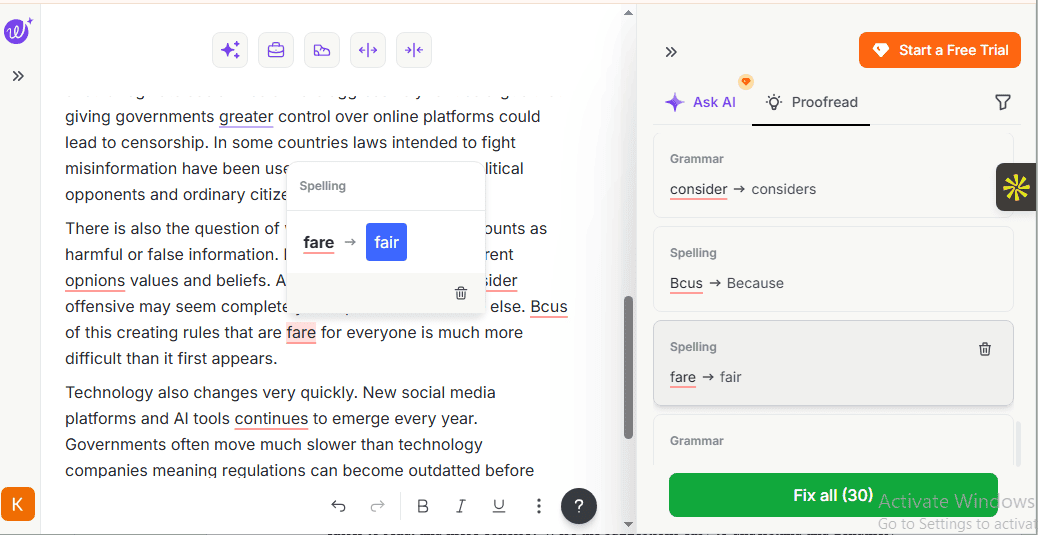
One of the things I was impressed with the most about Wordtune is its AI-powered writing features. You can rewrite a sentence, change the tone, shorten or expand it, emphasize a point, and so on.
The catch? Its Ask AI feature isn’t available on the free plan. This is a big blow for casual writers, professionals, and students who want built-in AI writing tools for brainstorming ideas, humanizing text, or generating content from scratch.
I also felt that Wordtune’s daily cap is restrictive. Here’s why.
Wordtune free plan caps AI-powered writing features at 10 uses per day. This means if you rewrite a sentence, it drops to 9; if you shorten a sentence or rewrite another, it drops to 8. And so on. It would have been nice if each AI-powered writing feature had its own limit, instead of drawing from a single cap.
Wordtune is accessible via an online web app, Chrome browser extension, Edge add-on, and iOS mobile app. Unfortunately, it’s not available as an Android app, nor does it have a Safari browser extension.
Furthermore, according to the Wordtune Help Center, the web app doesn’t work well on mobile devices. So you might want to use the IOS mobile app instead. But what of Android users? Your guess is as good as mine!
I installed the Wordtune Chrome browser extension and visited a few websites to test its capabilities. It’s safe to say I was disappointed in the end.
On LinkedIn, for instance, Wordtune didn’t appear in the text box. It didn’t flag the errors in my text—even if it had a lot of them. There were no grammar, punctuation, or spelling suggestions.
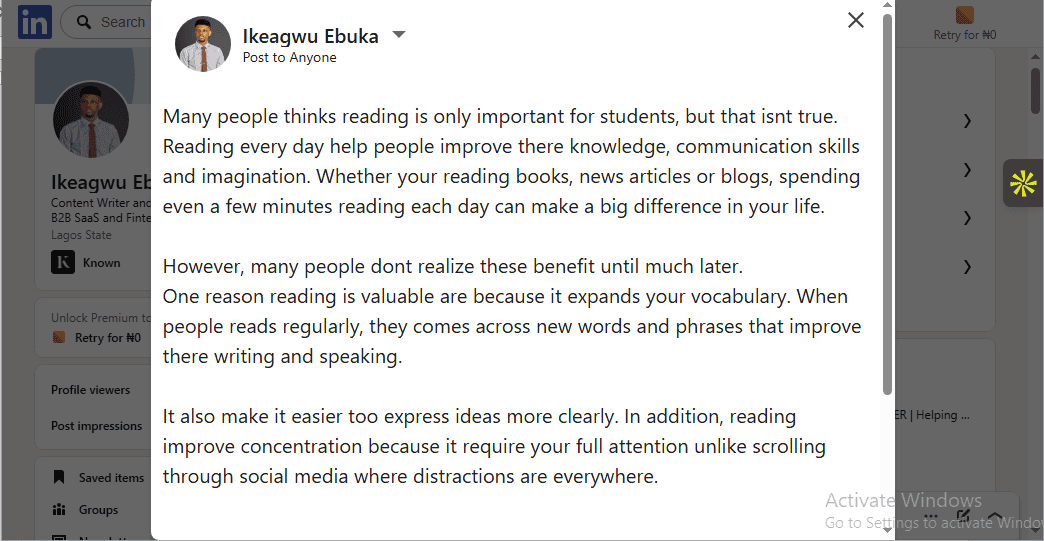
However, Wordtune functioned in the comment box (you need to highlight a sentence and press Ctrl + D on Windows or Cmd + D on Mac to activate the suggestion box).
But it didn’t offer grammar, punctuation, or spelling suggestions (even when my text had errors). Just AI-powered writing features like Rewrite, Generate More, Casual, Formal, and other contextual suggestions such as Explain and Emphasize.
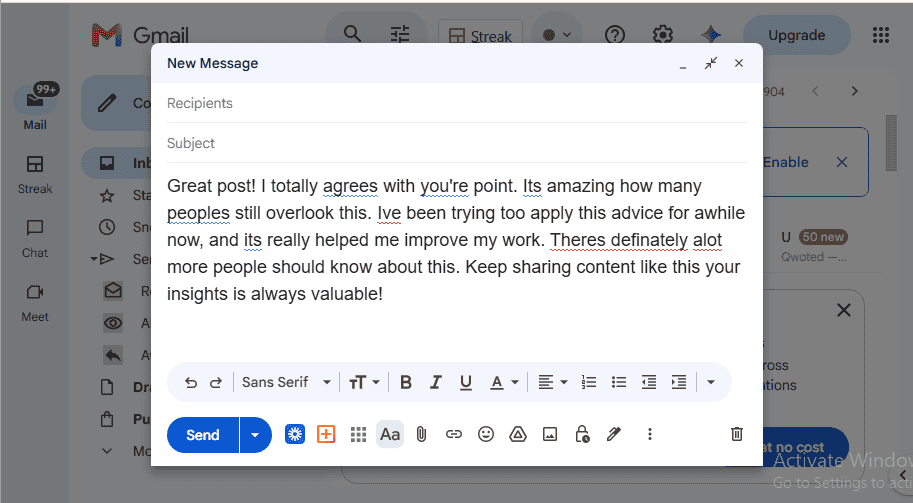
It was the same for Gmail.
Wordtune didn’t flag the errors in my text even if it had a few (the underlined words were done by Gmail’s built-in spell checker). Neither did it provide correction recommendations. However, it provided AI-powered writing features—as it did on LinkedIn. This is a drawback for individuals who simply want to proofread their emails before clicking “Send”.
On the bright side, Wordtune supports 10 foreign languages including French, German, Portuguese, Russian, Spanish, and Korean. Since it produces only paraphrased English output, it appeals to non-native English speakers producing English content.
Use Wordtune Free Grammar Checker if:
- You don’t care about plagiarism checks and AI detection.
- You’re a non-native English speaker producing English content.
- You rely on AI powered writing features for social media posts.
- You want a grammar checker that doesn’t just proofread text but flesh it out.
- You’re a student, professional, or casual writer who needs basic writing suggestions.
5. Scribens Free Grammar Checker
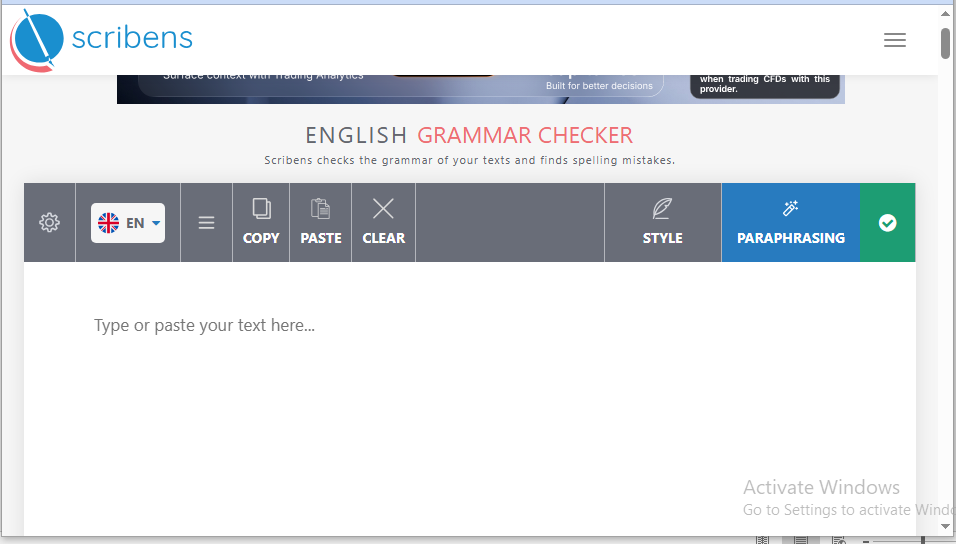
Scribens started as a free grammar checker, then transitioned to subscription mode after adding extra features (I guess they realized how satisfying making money feels).
Founded in 2016, the grammar checker helps check your writing. It does this by analyzing your text, highlighting spelling and grammar errors, and recommending corrections.
One thing to note: Unlike Grammarly, Scribens isn’t a full AI-powered writing assistant. It doesn’t use AI to write, rewrite, edit, and improve your text.
Regardless, it remains one of the best free grammar checking tools for students, professionals, and writers looking to catch errors and make their writing clearer and more accurate.
Non-native English speakers aren’t left out, either. Beyond grammar and spelling suggestions, Scribens provides detailed grammar-rule explanations (a small pop-up that explains why a word or phrase was flagged) that help them improve their language skills over time.
What you get for free
- Basic grammar and spelling correction: Flags and suggests corrections to surface-level grammar and spelling errors like typos, subject-verb agreement, verb conjugation errors, and homophones.
- Basic punctuation correction: Highlights basic punctuation issues like missing commas, missing periods, and misplaced commas—suggesting corrections.
- 8k character limit per day: Free users can check text of 8k characters (approximately 1200-1600 words) per day. Paid plan allows 5 million characters per month.
- Writing style analytics: Analyzes your writing, providing insights into metrics like sentence length, repetitions, reading time, number of sentences, and readability (Flesch index and Gunning Fog index).
- Synonyms: Suggests similar words to highlighted text or phrase.
- Paraphrasing: Lets you reword one sentence. Paid subscribers can reword more.
Free plan limitations
- No advanced grammar and spelling corrections: Ignores advanced grammar and spelling errors (misplaced modifiers, dangling modifiers, and clarity issues) or hides suggestions behind a paywall.
- No advanced punctuation correction: Doesn’t flag advanced punctuation errors or suggest corrections
- Capped at 8k character limit per day: You can only check text of 8k characters per day.
- No paraphrasing: Free users cannot reword more than one sentence unless they upgrade to the paid plan.
How It performed in my test
Like QuillBot, Scribens saves you the hassle, and the 1-3 minutes it takes to create an account. Simply paste your text in the editor box, and it’s smooth sailing from there.
And that’s exactly what I did.
In no time, Scribens analyzed the sample text and highlighted the errors. While its speed and one-click access made a good first impression, its intuitive, clean, and no-frills interface made me feel at home. No learning curve. No clutter. Just the features you need to correct your writing.
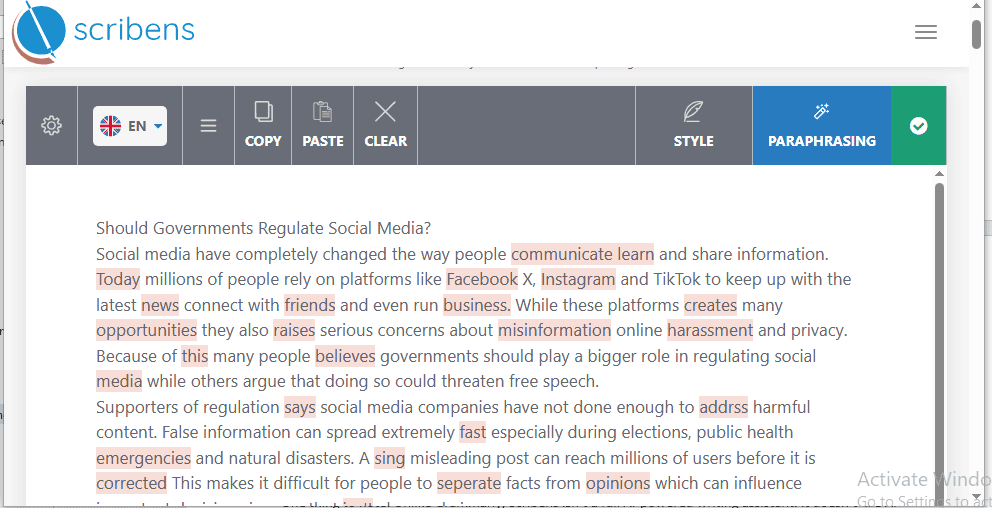
So, how did Scribens fare in my test?
As I mentioned earlier, the 474-word sample text contains many intentional grammar, spelling, and punctuation errors. Scribens caught all 16 grammar-related errors (15 subject-verb agreement issues and one missing article) and suggested corrections. It also flagged 4 homophone errors, which I wouldn’t classify as strict grammar errors.
What I found particularly useful in Scribens ‘ suggestions is its detailed error explanation. It’s like getting a one-on-one lecture from your English teacher explaining why certain errors in your essays were circled and how to fix them.
Here is the best part.
Each explanation is unique to the error. It’s one of those impressive features that leaves you with the question: How did they do it??
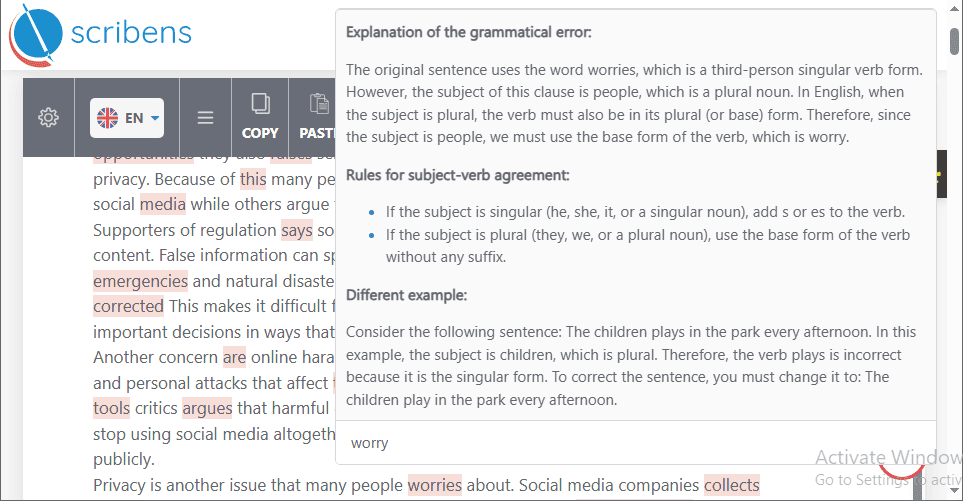
Next are misspellings.
The sample text has 13. Scribens flagged all (9 pure misspellings and 4 homophone errors) and suggested accurate corrections. It also displayed detailed error explanations for each.
For example, Scribens stated that the word “address” was misspelled as “addrss in my writing. It also explained what was missing in the original spelling and provided similar examples to aid comprehension. Wordtune, by comparison, tagged the error as “spelling” without providing further explanation.
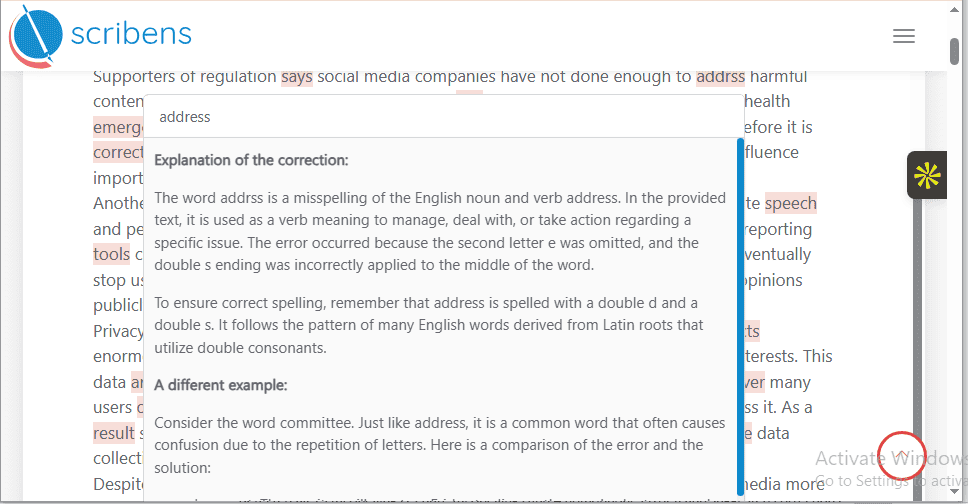
Scribens also flagged and suggested corrections to all 36 punctuation errors in the text, including missing Oxford/ serial comma, missing comma after introductory word/phrase/clause, and missing period. No other tool achieved this level of accuracy aside from Grammarly.
What stood out to me when testing Scribens was its clear suggestions. Honestly, for a tool with a dated interface, I wasn’t expecting much. The free grammar tool offered useful, easy-to-understand recommendations that made my writing clearer. It also displayed detailed error explanations, which made it seem like I was getting tutored by an English instructor.
Scribens no-frills interface means it lacks plagiarism checker, including AI writing tools like Ask AI, AI detector, AI rewriter, and AI humanizer. This is a major letdown for students, academic researchers, content writers, and marketers who use these tools to brainstorm, check originality, and improve content quality.
While Scribens lags in AI writing features, its language support is the best among the free grammar checkers mentioned in this list. It lets users correct text in more than 40 languages, including English, Spanish, French, Italian, and Swedish.
Remarkable, right? I thought the same. So I decided to test it. I pasted a 200-word French essay with intentional grammar and spelling errors in the Scribens editor box. Beyond flagging the errors, it suggested corrections and offered clear error explanations in French (had to translate it using ChatGPT)
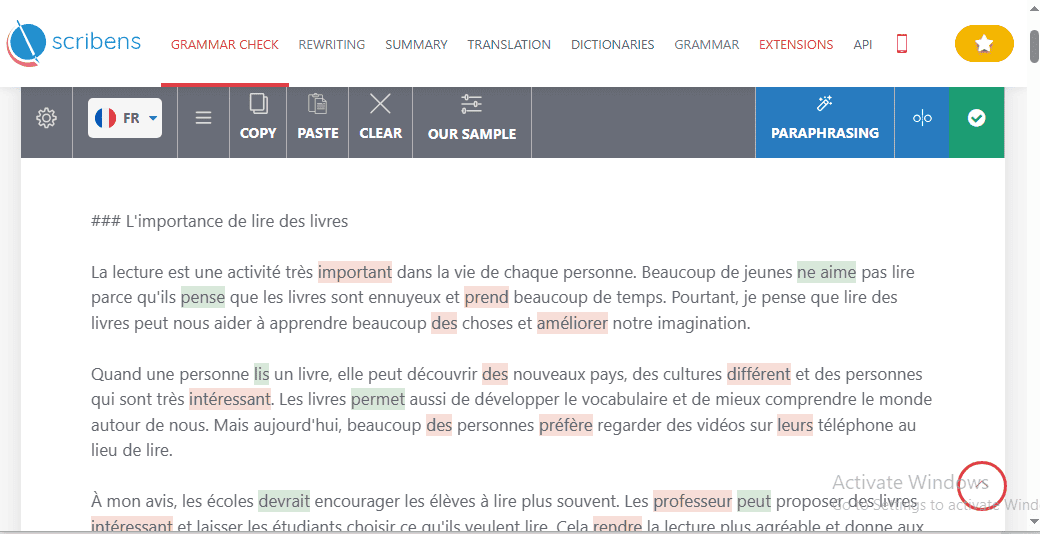
Scribens robust language support makes it an attractive choice for:
- Language learners
- International professionals.
- Multilingual writers who switch between languages
- Students writing assignments in different languages
- Non-native English speakers who write in English (offers error suggestions in over 40 languages)
You can access the Scribens web-based app from any modern browser, including Chrome, Firefox, and Safari. It also has dedicated apps for Windows, macOS, and IOS.
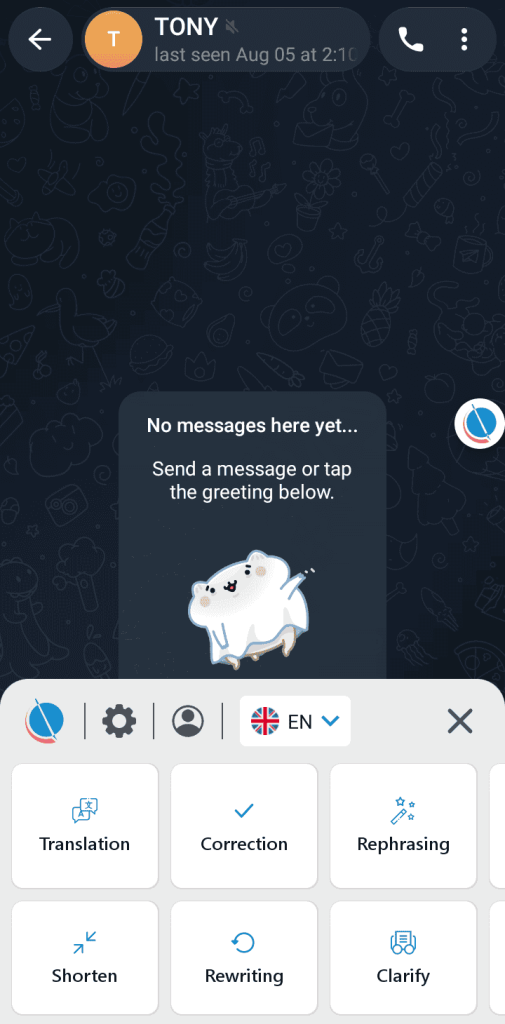
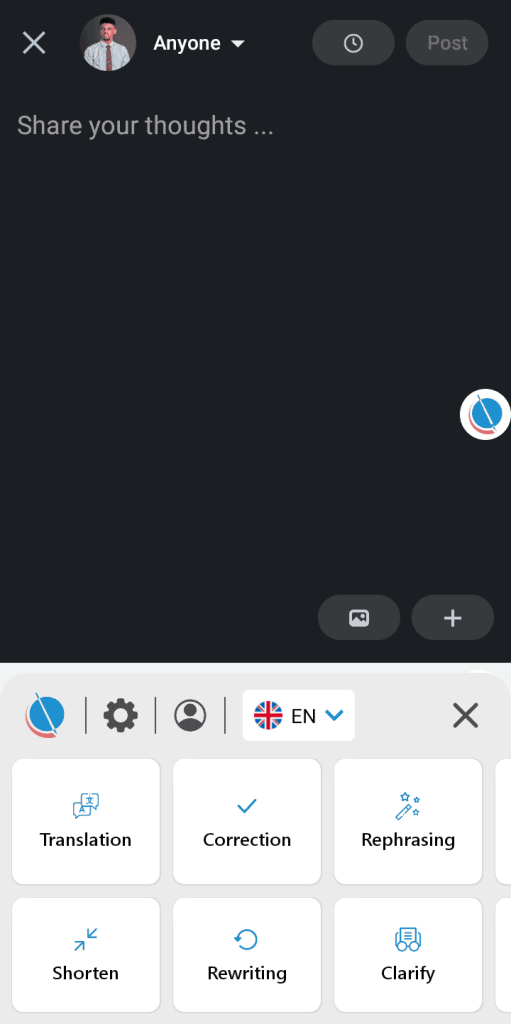
I downloaded the Android app to see how it’ll perform in real use. What can I say? I was impressed. It followed me around like my personal writing assistant, analyzing my text for errors. The best part? Beyond correction, it also offers features like:
- Translation: Lets you rewrite your text in 40+ languages
- Rephrasing: Lets you reword your writing one sentence at a time
- Shorten: Makes your text concise without stripping its context.
- Rewriting: Rewrite your text in any tone you choose (formal, neutral, friendly, etc.)
- Clarify: Make your text clearer.
- Editing: Modify your writing by describing the changes you want in a text box, e.g., “make it more engaging”
- Creation: Use generative AI to create new content from scratch
I appreciated how Scribens mobile app recommendations weren’t invasive, meaning it didn’t suggest corrections on autopilot. Instead, it let me choose if and when I needed its assistance.
Scribens has a browser extension that provides real-time grammar and spelling suggestions in your favorite apps and websites such as Facebook, Instagram, Twitter, Gmail, ChatGPT, and LinkedIn (only appeared in the comment text box).
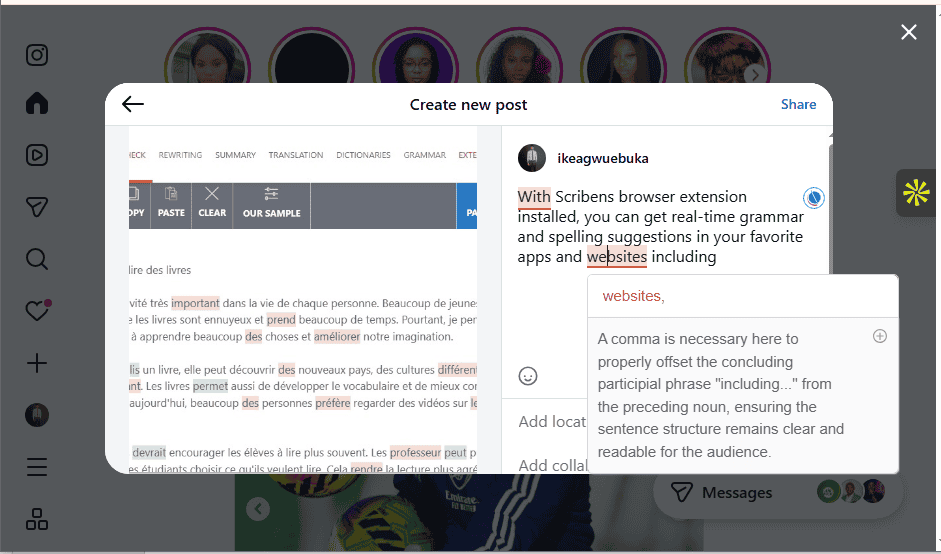
The free grammar checker also has separate dedicated browser extensions for Microsoft Office Applications, Google Docs, and Sheets.
Use Scribens Free Grammar Checker if:
- You want a Simple no-frills checker.
- You’re a casual writer with basic proofreading needs.
- You care more about proofreading accuracy than AI writing.
- You value detailed grammar explanations and writing-style analysis.
- You are a language learner, multilingual writer, or non-native English speaker.
6. LanguageTool
Who knew an open-source project that was part of a diploma thesis would go on to become one of the best free grammar checkers online?
Daniel Naber had no clue when he created LanguageTool in 2003. Me? I was a kid who only cared about Tom and Jerry resolving their never-ending dispute, so I wouldn’t have known.
LanguageTool is like that friend you ask a pressing question, and they provide a straightforward answer. No hassle. No account or sign-up needed. No overloaded features. Just a clean editor interface ready to provide grammar suggestions to your writing.
If you’re a student, professional, multilingual writer, or someone who works with a multinational team, Language Tool may pretty well suit your needs.
What you get for free
- Basic grammar and punctuation corrections: Flags basic grammar and punctuation errors like Incorrect word order, wrong use of tenses and words, and basic commas.
- Simple spelling corrections: Catches and suggests corrections for basic typos, including misspelled names and acronyms.
- Basic style suggestions: Suggest corrections to maintain your style and voice (formal, informal, optimistic, encouraging, etc.). Also fixes unofficial spelling and non-standard forms.
- 2k character limit per check: Limits the check to 2k characters, which is around 300 words. Anything more than that is cut off.
- Access to 30+ supported languages: Lets you check and edit writing in over 30 languages, including Arabic, Dutch, Portuguese, Romanian, Russian, Catalan, Greek, German, and English.
- Corrects inconsistent use of numbers and letters: Flags and suggests corrections for the inconsistent use of numbers in sentences, suggesting corrections.
Free plan limitations
- No advanced writing suggestions: Doesn’t provide advanced writing suggestions like fixing agreement errors, incorrect word combinations, advanced missing commas, and superfluous commas.
- Lacks advanced style suggestions: Doesn’t flag informal style, repetition, overused words and phrases, wordiness, and vague foreign terms.
- Capped at 2k character limit per check: Free users can only check 2k-character text at once. Premium plan allows 150,000 characters per check.
- Comes with limited features: Personal style guide, team features, picky mode, and sentence rephrasing by AI are locked behind paid plans.
- Restricted to basic format and typography corrections: The free plan won’t detect format and typographical issues like incorrect currency format, incorrect time and date format, and inconsistent spacing.
- Limited spelling suggestions: Free users are restricted to basic spelling suggestions. Casing errors and ISBN/IBAN corrections are only available for paid subscribers.
- No browser extension: While you can install the browser extension on your web browser, you won’t receive real-time writing assistance in your favorite web-based app until you upgrade.
How It performed in my test
My first impression of the LanguageTool editor interface was that it felt a bit old-fashioned compared to other free grammar checking tools. But I wasn’t surprised. It was founded in the early 2000s, remember?
Like QuillBot, LanguageTool saves you the hassle of signing up. You paste your text, and it gets to work immediately flagging grammar, punctuation, and spelling errors.
While I like LanguageTool’s clean interface, the simplicity means fewer features. For instance, it doesn’t have AI chat. No plagiarism detector. No summarizer. And no content generator. This strips down the functionality of its free plan.
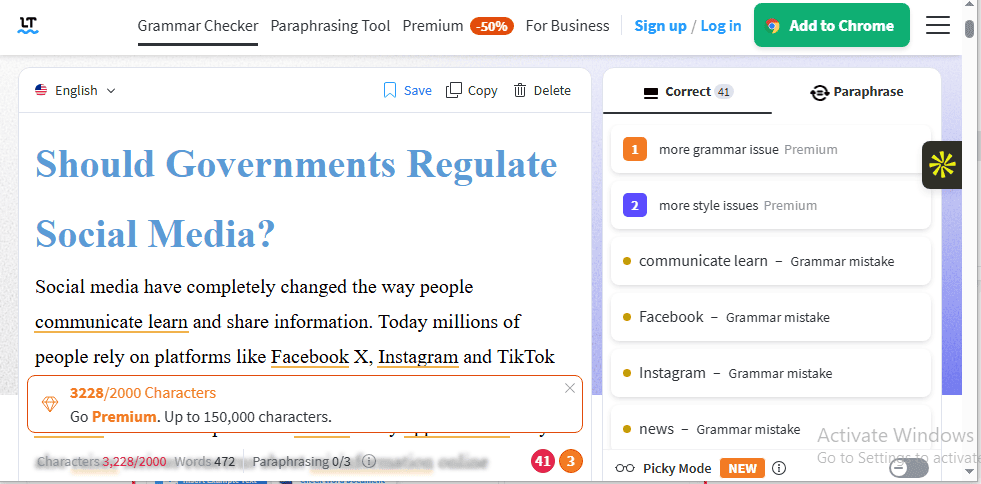
In terms of speed, LanguageTool analyzed my text, flagged errors, and suggested corrections within seconds. The truth is, I would have been disappointed if that weren’t the case. Since it only allows a 300-word character limit per check.
Before I go into how it performed in my test, here are a few things to note:
- I didn’t sign up before running the test.
- I kept the picky mode—an optional feature that makes the checker more thorough—off.
- Since the test essay is 472 words and LanguageTool editor is capped at 2k character limit per check (around 300 words), I ran a separate test for the part that was cut off.
Now, back to the test.
LanguageTool flagged all 13 misspellings (9 pure misspellings and 4 homophone errors) accurately and suggested corrections. While analyzing the errors, I discovered that it got some of the tags wrong. For example, it tagged an obvious spelling error as a grammar error.
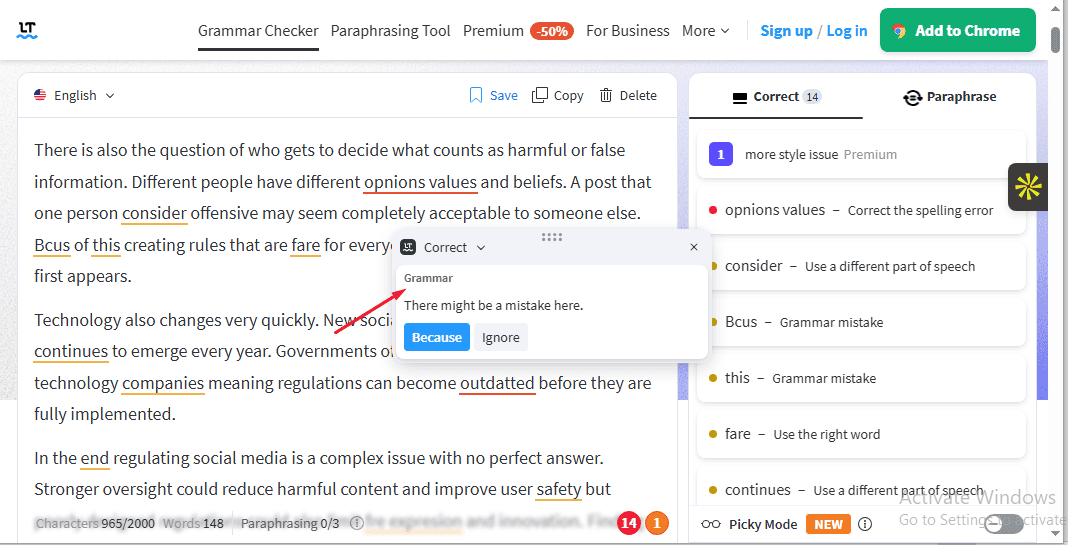
Speaking of grammar errors, the sample document contained many intentional grammar errors. LanguageTool flagged all (15 subject-verb agreement errors and 1 missing article), and suggested accurate corrections. It also caught 4 homophones, which aren’t true grammar errors but word usage errors.
As for punctuation, the free grammar checker detected 35 of the 36 punctuation-related errors in the text, including missing commas and missing periods.
The only error it didn’t detect is a missing comma after an introductory adverb. However, I wouldn’t consider that a hard punctuation error since its omission doesn’t make the sentence confusing.
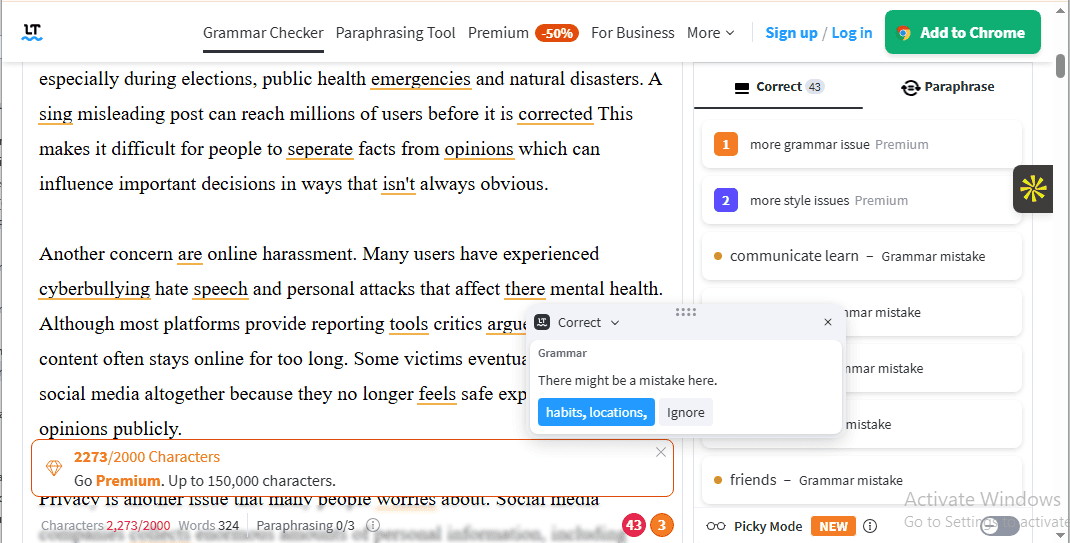
I thought LanguageTool was easy to use. It has an intuitive, clean interface that made navigation as easy as flipping a light switch. Everything I needed to proofread my text was staring at me. I didn’t have to hunt for anything.
Additionally, LanguageTool suggestions were clear and useful. They improved the flow, clarity, and quality of my text.
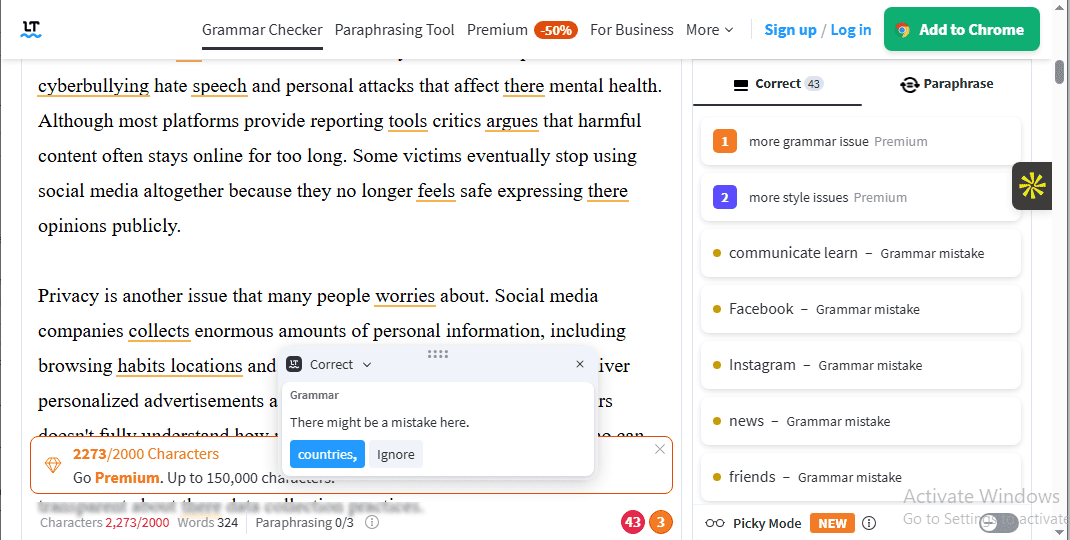
One thing, though: During the test, I noticed a pattern. Some of the tags used to describe the flagged errors were wrong. For example, the LanguageTool editor flagged a missing comma. Rather than tag the error a “missing comma” or a “punctuation problem,” it tagged it as a grammar issue, which is obviously false.
Remember I said LanguageTool’s grammar checker clean interface meant fewer features? So I tested its paraphrase tool—one of the 3 built-in features.
Long story short. It didn’t work, even after waiting for over 30 minutes. Was I disappointed? Absolutely.
But do you know who’d be more disappointed? Students who’d have loved to use the paraphraser to rewrite AI text. And non-native English writers who’d have loved to use it to get alternative ways to express an idea.
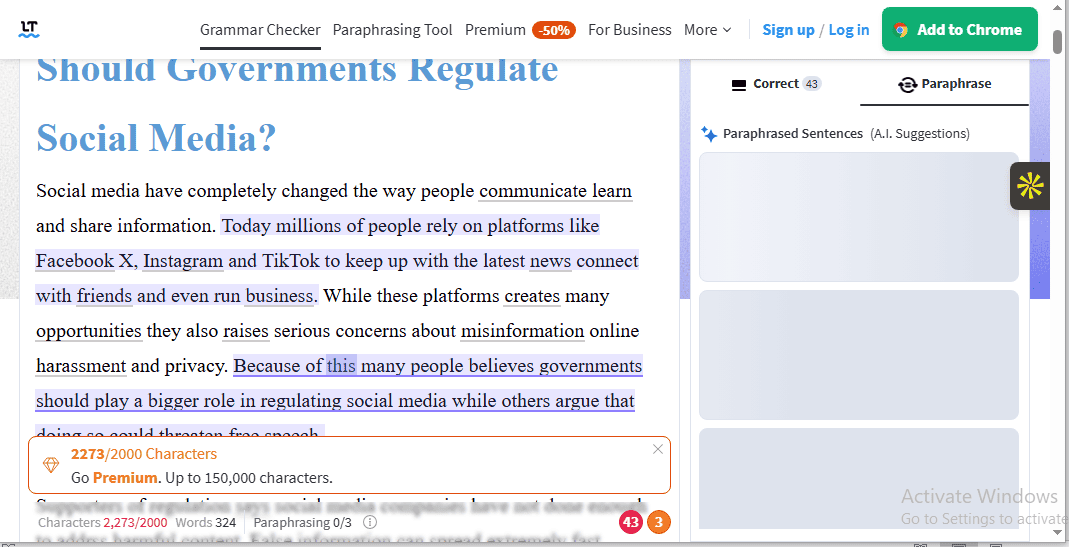
Furthermore, I wasn’t impressed that LanguageTool grammar checker has just one AI writing tool: paraphrase. No generative AI writing tools. No tone AI writing tools. No editing AI writing tools.
This is a huge drawback for students who need built-in AI writing tools for brainstorming ideas or paraphrasing texts. Or content creators and bloggers who need AI writing features to generate ideas, draft outlines, and rewrite text for different platforms.
One consolation is that LanguageTool offers offline support through its desktop app available for Windows and macOS. With the app, you can check your text without needing an internet connection. But first, you need to register for a free account.
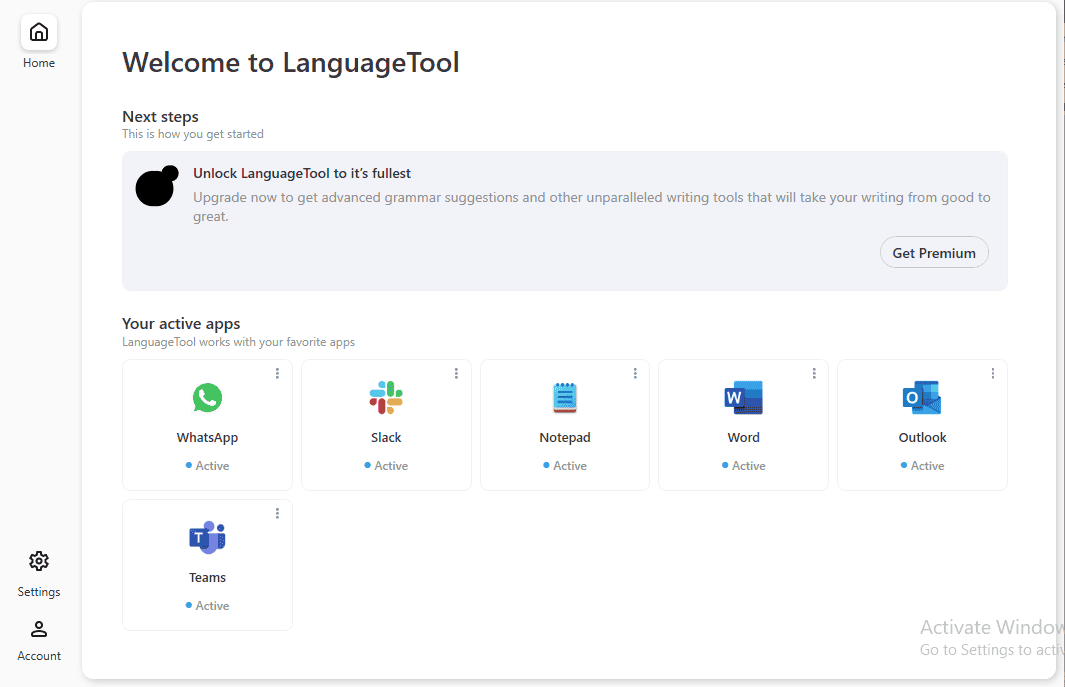
I installed the LanguageTool desktop app to confirm. It worked in Microsoft Word—I could check my writing without an internet connection. Additionally, the desktop app works in other apps like WhatsApp, Slack, Notepad, Outlook, and Microsoft Teams.
If you just want to use LanguageTool writing suggestions in Microsoft alone, you can install the dedicated add-on. Also, as an IOS user, you can download the IOS app on your phone or tablet and check your writing on the go.
What about Android users?
I found it surprising that LanguageTool doesn’t have an Android app, since Android has 3X more active users globally than iOS. On top of that, it announced in March 2026 that it’s making the browser extension available to paid subscribers only.
This is a big disappointment for casual everyday writers, professionals sending emails and reports, and non-native speakers who prefer a grammar checker that follows them around the web and checks their writing as they go.
That said, if you are a student studying a second language, a multilingual professional, or anyone whose daily writing covers more than one language, you’ll appreciate LanguageTool multilingual support, which spans over 30 languages. They include English, German, Spanish, French, and Dutch.
Use LanguageTool Free Grammar Checker if:
- You’re a multilingual writer.
- You don’t mind editing your writing in 300-word chunks.
- You’re a casual writer who needs basic writing suggestions.
- You don’t mind upgrading to use its real-time writing assistant.
- You appreciate a simple grammar checker with no bells and whistles.
So, Which Free Grammar Checker Should You Use?
The best free grammar checker depends on your needs and priorities. For instance, if you’re a student who needs surface-level grammar and spelling suggestions with some AI assistance, QuillBot is worth checking out. Unlike Grammarly, some of its AI writing features, like Continue Writing, Ask AI, Rewrite, Improve, and AI Detector, are available to free users (with daily caps).
Do you write in more than one language? Or are you a language learner? Then Scribens could be just what you need. It supports over 40 languages and offers detailed error explanations in each. Where does it fall short? It lacks AI-powered writing features.
If you’re an everyday writer who needs a free grammar checker that flags errors, suggests basic corrections, and follows you everywhere, you should consider Grammarly. It works in over 500,000 apps and sites and integrates with your mobile keyboard, suggesting real-time corrections as you type. However, if you want a checker with free (but capped) AI-powered writing features, QuillBot is the better choice.
Professional writers who want to make their writing clearer, more polished, and readable should consider the Grammarly free plan. Meanwhile, if you need detailed writing analysis, choose ProWritingAid. It has over 25 specialized writing reports designed to analyze and improve different aspects of your writing.
Frequently Asked Questions (FAQs)
What are the best free grammar checkers online?
The best free grammar checkers online are Grammarly, ProWritingAid, QuillBot, Wordtune, Scribens, and Language Tool.
What is the best grammar checker online?
The best grammar checker online is Grammarly. Not only is it easy to use and effective in flagging errors and suggesting accurate corrections, but it integrates with over 1million apps and websites, so that you can receive recommendations wherever you write.
What are the best Grammarly alternatives?
The best Grammarly alternatives include QuillBot, ProWritingAid, Scribens, and Hemingway Editor.
What are the best grammar checker Reddit?
According to Reddit users, the best grammar checker is Grammarly—for its ease of use, accuracy, and robust integrations; ProWritingAid—for its detailed analysis; and Language Tool—for its multilingual support.
What is the best grammar checker for academic writing?
Paperpal is the best grammar checker for academic writing. It includes features such as a manuscript checker, academic tone, research and citation tools, and an AI reference finder, making it suitable for academic research.